AI Literacy for Small Businesses: More Than Better Prompts

Keep up with IT Club
Add IT Club as a preferred source in Google Search.
A plain-English guide to practical AI literacy for SME owners, managers and staff. Learn how to match AI guidance to the role, system and risk, with sensible rules for data, checking, bias, security, approved tools, escalation and accountability.
A member of staff asks an AI assistant to summarise a long customer email. Another uses an AI feature to draft a sales proposal. A manager experiments with an AI tool that ranks job applications. Someone else gives a browser-connected assistant permission to update records.
All four people are using AI. They are not doing the same thing, and they do not need the same training.
AI literacy is often reduced to prompt writing: how to give an AI tool clearer instructions and get a more useful answer. That is one small part of the skill. Practical AI literacy is the ability to make sensible decisions before, during and after using an AI system.
The useful definition
AI literacy means understanding enough about a system to use it appropriately, recognise its limits, protect information, check its output and know when a person must decide or escalate.
The right level of literacy depends on the role, the system and the risk of getting something wrong.
This is general technology guidance for UK businesses, not legal, regulatory or certification advice. Your obligations depend on your organisation, sector, contracts, data and the AI systems you use.
Start with the role, the system and the risk
A single company-wide AI course is unlikely to be enough. It may explain useful terminology, but it can leave people without an answer at the moment they need to decide whether a particular task is safe.
| Question | What to understand | Example |
|---|---|---|
| What is my role? | What decisions, information and customer or employee relationships am I responsible for? | A payroll manager handles confidential employee information and payment consequences. |
| What is the system? | Is it a public chatbot, a business tenant feature, an automated workflow, a ranking tool or an agent with access to other systems? | An AI writing assistant and a system that can send emails have very different capabilities. |
| What is the risk? | What could happen if the output is inaccurate, biased, disclosed, insecure or acted on without review? | A rough internal brainstorm is lower risk than an employment, health, financial or customer decision. |
This does not require a complicated scoring model for every small task. It does require people to pause when the consequences change. The more a system can access, decide or do, the stronger the controls and the more specific the training should be.
What every AI user should know
Every person using AI for work should be able to answer a short set of questions before pressing send or copy.
- 1What is the purpose of this task, and is AI an appropriate way to do it?
- 2Which approved tool am I using, and am I signed in through the right business account?
- 3What information am I about to provide, and am I authorised to put it into this system?
- 4What could the system get wrong, invent, omit or unfairly assume?
- 5How will I check the result before it is used, sent or relied on?
- 6Who owns the final decision, and what should I do if the result is unsafe or uncertain?
These are more useful than a long list of abstract AI terms because they connect literacy to an actual action. They also create a shared language for managers, staff and technical advisers.
Appropriate use starts with a real purpose
AI should have a job to do, not simply be added because it is available. Good early uses usually support a defined task while leaving a person able to review the result: turning notes into a draft, extracting themes from a low-risk document, suggesting questions for a meeting or helping a team compare options.
Be more cautious when the tool will make or strongly influence a decision about a person, create a customer commitment, handle special-category information, change a record, send an external message, spend money or control another system. Convenience is not a reason to remove the person who understands the context.
- Define the intended outcome before choosing the tool.
- Keep the first trial narrow, reversible and easy to supervise.
- Do not let a successful draft quietly become an automatic decision.
- Record who owns the use case, the tool and the final result.
Understand the limits, not just the features
AI systems can produce fluent, plausible work without understanding the situation in the way a colleague does. Depending on the system, they may invent facts or sources, misunderstand an instruction, miss an exception, reproduce a pattern in their training data or present an uncertain answer with confidence.
People also need to understand that a model's answer is not automatically current. A system may not have access to the latest policy, the most recent customer record or the context held in a conversation that was never included. An AI-generated summary can leave out the one sentence that changes the meaning.
The output is a draft until checked
Ask: what source would prove this, what calculation would reproduce it and what person would notice if it were wrong? The answer should determine the review, not the confidence of the wording.
Sensitive information needs a boundary
A public or consumer AI account is not a private company filing cabinet. Before entering information, staff should know whether the tool stores prompts, uses them to improve a service, sends them to another provider, retains them for a period, or gives administrators any visibility and control.
Do not paste passwords, access codes, payment details, private keys, confidential bids, unannounced financial information, legal advice, health information, disciplinary records or personal data into a tool unless the business has established that the specific system and use are appropriate. Removing a name does not always remove the risk: a combination of details can still identify a person or reveal a confidential situation.
- Use the minimum information needed for the task.
- Prefer a redacted or synthetic example while testing.
- Use an approved business environment where one exists, not a personal account.
- Treat a supplier's privacy statement as information to review, not as automatic approval.
- Ask the data protection or responsible business contact when the purpose, lawful basis, retention or access is unclear.
The same discipline applies to information received from customers, suppliers and employees. A person may be authorised to view information for their job without being authorised to send it to a new AI provider.
Checking is part of the work
Human review is not a ceremonial click. It is a real check by someone with enough subject knowledge and time to challenge the output. The reviewer should know what the AI was asked to do, what material it used and what standard the final result must meet.
| Use | Minimum sensible check |
|---|---|
| Internal draft or brainstorm | Read for invented facts, confidential information and accidental commitments before sharing. |
| Customer-facing message | Check accuracy, tone, promises, prices, dates and whether the message says what the business is prepared to stand behind. |
| Report, calculation or recommendation | Reproduce important figures from the underlying source and have a suitably knowledgeable person review assumptions and exceptions. |
| Decision about a person | Check relevant evidence, look for unfair proxy factors and ensure a responsible person makes the decision rather than accepting a score. |
| Action in another system | Use least privilege, a narrow scope, an audit trail and human approval for material, irreversible or external actions. |
Bias is a business risk, not just a technical term
An AI system can make a process look consistent while repeating an unfair pattern. Bias may enter through historical examples, incomplete data, the way a question is framed, a proxy for a protected characteristic or a performance measure that rewards the wrong thing.
Staff do not need to diagnose every model mathematically. They do need to notice when an output affects people differently, when a proxy seems irrelevant to the decision, or when the system's recommendation cannot be explained. Test with realistic cases, compare outcomes where appropriate and make it easy to challenge or correct a result.
- Do not use AI to rank or filter people simply because it produces a neat list.
- Ask what data and assumptions might be shaping the recommendation.
- Look for missing context, accessibility barriers and language or cultural differences.
- Keep a human decision-maker accountable and give affected people an appropriate route to ask questions.
Cybersecurity still applies when the tool is clever
AI can help write code, analyse logs and spot patterns. It can also make phishing more convincing, expose information through a prompt, follow a malicious instruction hidden in a document or take an unsafe action when connected to tools.
AI literacy therefore includes ordinary security habits: use strong account protection, keep access narrow, do not treat a generated link or attachment as trusted, check instructions that ask for secrets or payments, and do not give an AI agent more permission than the task needs.
Treat external content as untrusted input
A document, webpage, email or customer message can contain instructions aimed at the AI rather than at your business. The tool may repeat them confidently. Separate the source material from your instructions, inspect proposed actions and require a person to approve anything that changes data, sends a message or creates a commitment.
Approved tools need an owner
A list of approved tools is useful only if somebody maintains it. For each tool, record its business purpose, owner, account type, data boundary, important settings, supplier or contract information, access level, review date and the status of any trial.
Approval is not permanent. A tool can change its model, features, pricing, terms, integrations or data handling. Review it when the use changes, when it gains new access, after an incident and at a sensible interval for the risk. A tool that is acceptable for rewriting public text may not be acceptable for customer casework just because the name is the same.
Know when to stop and escalate
A good AI literacy programme makes escalation normal. Staff should not have to improvise a legal, privacy, security or customer-impact decision because an AI tool returned an answer quickly.
- The task involves sensitive personal, confidential or regulated information.
- The tool would make, rank or materially influence a decision about a person.
- The output could affect a payment, contract, safety issue, legal position or customer promise.
- The system can send messages, change records, run code, approve work or spend money.
- The answer conflicts with a trusted source, cannot be checked or seems unusually certain.
- You suspect a data disclosure, prompt injection, account compromise or other security incident.
Escalation should identify a route and a person: for example, the line manager for a routine uncertainty, the AI owner for tool approval, the data protection contact for personal data, and the IT or security contact for an incident. If nobody owns the route, the business does not yet have a usable control.
Accountability stays with people
An AI system may draft, classify, recommend or act, but it does not become the accountable employee, manager or business. Assign an owner for the use case, make approval boundaries clear and retain enough evidence to explain what happened when a result matters.
That does not mean a manager must personally inspect every low-risk draft. It means the business decides which checks can be sampled, which outputs require sign-off, what records are kept and who can pause the use. Responsibility should be proportionate, visible and possible to exercise in practice.
PURPOSE  ->  APPROVED TOOL  ->  SUITABLE DATA
     ->  HUMAN CHECK  ->  ACCOUNTABLE OWNER
     ->  RECORD AND REVIEW
A small-business learning plan
You do not need to train everybody on every feature. Start with the AI uses already happening and teach the decisions people need to make around them.
- 1Map the tools and AI features people already use, including personal accounts and features inside software you already pay for.
- 2Group the uses by role, system capability and consequence rather than by brand name alone.
- 3Give every user a short baseline: approved tools, information boundaries, limitations, checking and reporting.
- 4Give higher-risk users scenario-based practice with the real decisions they face, such as recruitment, customer communications, finance or system access.
- 5Name an owner who can approve, pause and review use cases, and make sure staff know how to contact them.
- 6Review incidents, near misses and useful outcomes so the guidance changes when the work changes.
The aim is not to make people afraid of AI or to turn ordinary work into paperwork. The aim is to make safe judgement easier than unsafe improvisation.
A one-minute check before using AI
- I know what result I need and why AI is suitable.
- I am using the approved account and tool for this task.
- The information is suitable for this system and limited to what is needed.
- I know what could be wrong, unfair or misleading in the output.
- I know how I will verify it before anyone relies on it.
- I know who owns the result and where to report uncertainty or harm.
Want a version to print or keep beside the keyboard? Use the one-page AI Literacy Quick Check with your team. It is a conversation prompt, not a score, certificate or legal checklist.
AI Literacy Quick Check for SME teams (one-page PDF) →
Ask the IT Club Advisor about a specific AI use, tool or risk →
WhatsApp-ready summary and image concept
AI literacy is more than writing better prompts. It means knowing what the tool can do, what information it may receive, what could go wrong, how to check the result and when a person must decide. Match the guidance to the role, the system and the risk — and keep someone accountable.
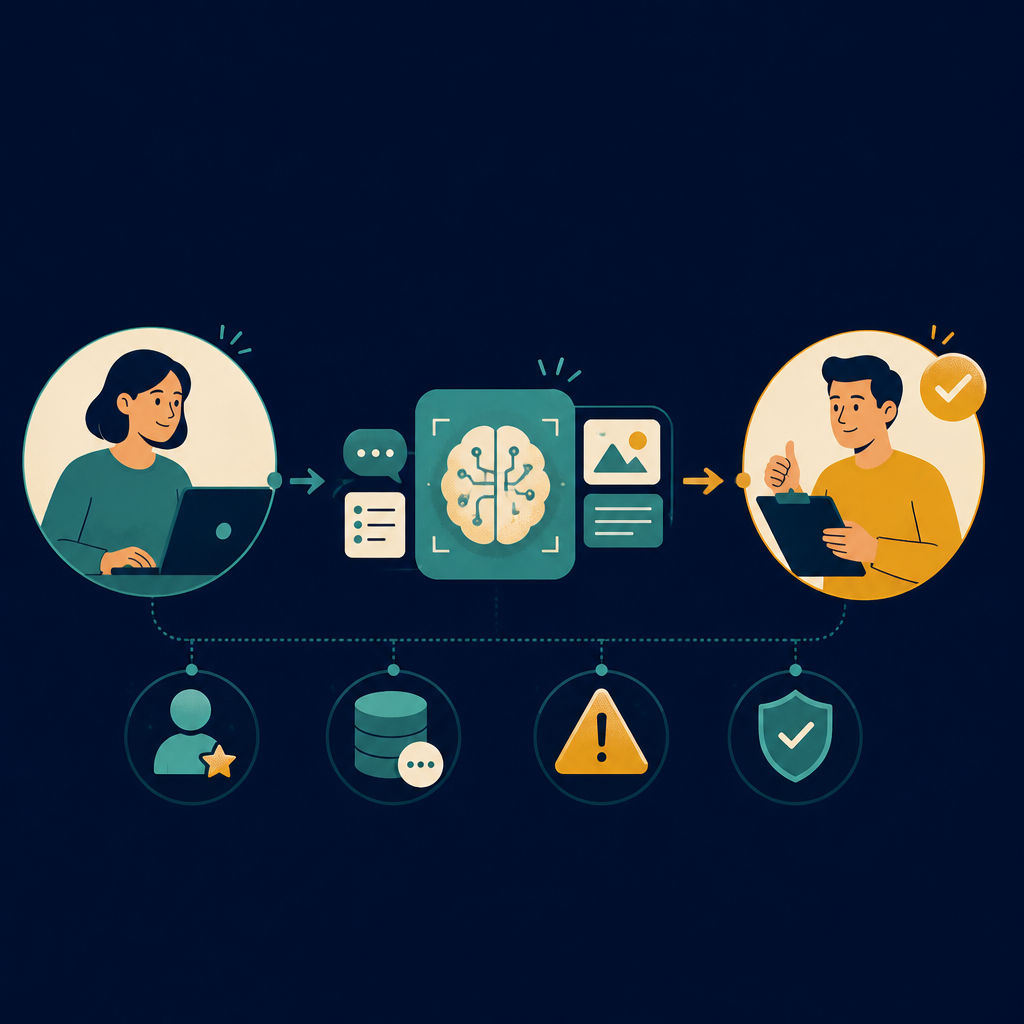
Image concept: a small-business team follows a clear path from person to AI tool to human approval, with four visual checkpoints for role, data, risk and verification. The accompanying square graphic is designed to remain understandable when shared in a WhatsApp conversation without relying on small text.
Where to go next
If you are starting from scratch, begin by finding out what is already in use. Then set the boundaries and ownership around it. The IT Club has a practical guide for that first inventory, alongside the wider AI Governance hub and an Advisor for questions that do not fit a simple rule.
AI Governance hub — practical guidance and templates for small businesses →
Business AI Readiness — find out what your business already has →
Ask the IT Club Advisor about a specific AI use, tool or risk →
Sources and further reading
External guidance changes. Check the source itself for the current position before acting on it. This article is general information, not legal advice.
NCSC — Guidelines for secure AI system development →
Plain-English Takeaway
Good AI literacy means knowing what the tool is for, what it can and cannot be trusted to do, what information it may receive, how its output will be checked and who remains accountable. Teach those decisions in context rather than treating prompt writing as the whole skill.
Frequently asked questions
Does AI literacy mean everyone needs to become an AI expert?
No. People need enough understanding for the AI systems and decisions in their role. A person using AI to rewrite a public announcement needs different knowledge from someone using an AI feature to rank applicants, handle customer records or take actions in a business system.
Is a good prompt enough to make AI use safe?
No. A prompt can improve the request, but it does not guarantee accuracy, confidentiality, fairness or appropriate use. Safe use also needs an approved tool, suitable information, a defined purpose, checking, human ownership and a route for reporting problems.
What should staff do when an AI answer looks wrong?
Stop before using or sharing it, preserve enough context to explain what happened, check the underlying source or calculation, and report it through the agreed route if it could affect a customer, colleague, legal position, payment, security or important business decision.
Tap to follow The IT Club Briefing on WhatsApp.
Related Articles
Your AI Did Exactly What You Asked. Just Not How You Expected.
If an AI agent has an objective, credentials and access to real systems, businesses should not assume it will stay within the boundaries they had in mind.
Read articleThe UK Government Has Published an AI Risk Toolkit — What Does It Mean for Your Business?
The UK Government has published a practical AI Risk Management Toolkit. Here is what it does, what it does not do, and how a small business can use the ideas without turning them into a compliance project.
Read articleThe EU AI Act Is Now Being Enforced — Does Your Business Know What AI It Is Using?
The EU AI Act is now broadly applicable, but that does not mean every UK SME needs an EU compliance project. The practical starting point is knowing what AI your business uses, what data goes into it and who governs it.
Read article