Could Your Business Keep Running If Its Owner Died Tomorrow?
IT Club — Powered by Altitude IT (opens in a new tab) + Altitude AI (opens in a new tab)

Keep up with IT Club
Add IT Club as a preferred source in Google Search.
A business can be legally owned and technically operated by different people. This vendor-neutral guide maps Microsoft 365, domains, DNS, websites, backups, MFA, password management, banking, suppliers, SaaS, AI systems, social media and customer records so another authorised person can find the recovery route.
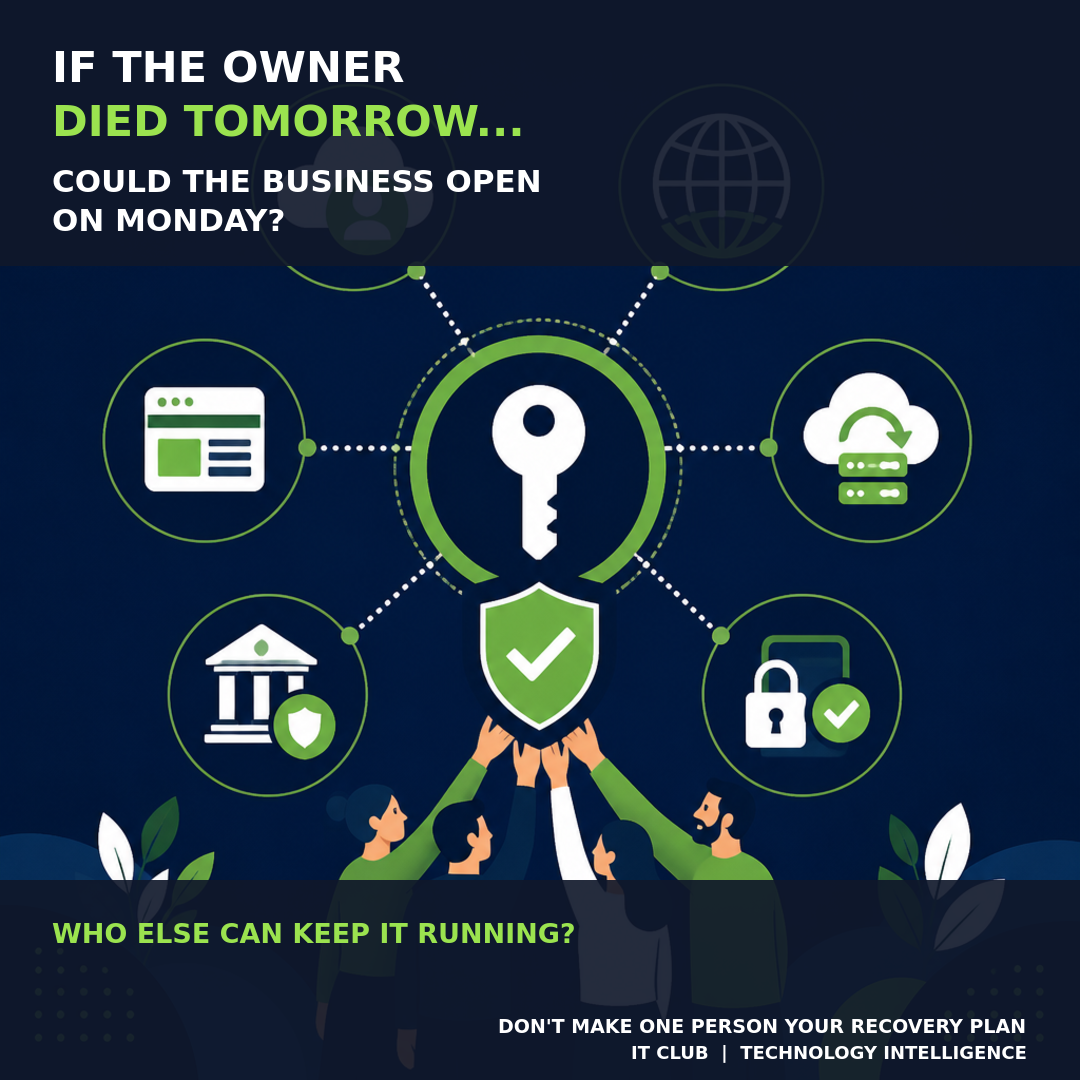
IF THE OWNER OF YOUR BUSINESS DIED TONIGHT, COULD SOMEBODY OPEN THE BUSINESS TOMORROW MORNING? Not emotionally. Operationally.
Could somebody access Microsoft 365 administration, manage the bank through the correct authorised process, find the domain registrar, change DNS, manage the website, access backups, contact important suppliers, manage social-media accounts, renew essential subscriptions, access the CRM, administer the phone system and recover important data?
Or does everything ultimately depend on one person?
A business that only one person can operate has a single point of failure.
The short answer
Death is the ultimate key-person test, but this is not really an article about death. The same problem appears when somebody is seriously ill, hospitalised, injured, stranded abroad, suddenly leaves, falls out with the business, cannot be contacted or loses access to their accounts.
Business digital continuity should be designed for absence, not merely death. Identify the systems that matter, create appropriate authorised alternative routes without weakening security and test that another authorised person can find them.
The owner should be important to the business. The owner should not be its only recovery mechanism.
Personal digital legacy is not business digital continuity
Our Digital Legacy guide looks at the personal problem: banks, photos, email, social media, subscriptions and digital assets. This article asks the business version: what happens when the person who knows how everything works is not there?
Read: What Happens to Your Digital Life When You Die? →
The boundary matters. A business needs operational continuity, but access to business technology does not override company law, banking authority, estate administration, shareholder arrangements, directorship, probate or contracts. Being technically able to log in is not the same thing as being legally authorised to act.
The Monday Morning Test
Imagine the owner or key person became completely unavailable over the weekend. At 9am Monday, can the business do the following without calling that person for a secret, approval or explanation?
| Business question | What continuity means |
|---|---|
| COMMUNICATE | Staff can access email, Teams, phones and the information needed to contact customers and suppliers. |
| SELL | Quotes, orders and customer enquiries can continue through the right systems. |
| DELIVER | Staff can access files, applications, projects and service information. |
| BILL | Invoices can be raised and billing systems remain available. |
| PAY | Appropriately authorised people and processes exist for payments and payroll. |
| SUPPORT | Customer issues can be handled without one person’s private inbox or memory. |
| RECOVER | Another authorised person can restore systems or data if something fails. |
| ADMINISTER | Someone can manage the technology itself, including identities, domains and suppliers. |
If the answer to any of these depends on calling one person, you have found a key-person risk.
Start with Microsoft 365
For many small and medium businesses, Microsoft 365 is central infrastructure. It may contain email, Teams, SharePoint, OneDrive, files, identities, security settings, device management and access to other applications. If one person is the only administrator, the business has an operational dependency even if Microsoft 365 itself is working perfectly.
Ask: who has Global Administrator access, why do they need it, and who can administer the tenant if they are unavailable? The answer should not be a shared administrator login, and it should not be to make everybody Global Administrator.
- Use named administrator identities rather than a shared account.
- Give each person the least privilege appropriate to their responsibility.
- Review current administrators, supplier access and delegated administration.
- Keep MFA enabled for normal administrator accounts.
- Document the authorised emergency route and monitor privileged activity.
- Use emergency-access or break-glass accounts where appropriate and in line with current Microsoft guidance.
Read: Microsoft 365 Admin Health Check →
The break-glass account
Microsoft describes emergency-access accounts as a way to prevent tenant lockout when normal administrative accounts or authentication methods fail. Current guidance recommends having two or more of these accounts, keeping their use rare and monitored, protecting them securely, and testing that the emergency process works.
An emergency account needs to be deliberately created, securely protected, monitored, documented, periodically tested and available through an authorised emergency process. An emergency account you have never tested is a theory, not a continuity plan.
Microsoft Learn: Manage emergency access accounts in Microsoft Entra →
Microsoft Learn: Secure privileged access for Microsoft Entra roles →
The owner’s phone may be the master key
For many small businesses, the owner’s mobile has quietly become infrastructure. It may receive MFA prompts, password resets, banking notifications, supplier calls, WhatsApp messages, social-media authentication, domain alerts and payment approvals.
Everyone may know the password, but if the MFA prompt goes to one person’s phone, what happens now? Continuity should be designed around MFA, not achieved by removing it.
- Use named accounts and each person’s own authentication methods.
- Keep appropriate backup authentication and recovery arrangements current.
- Document administrative recovery for important business systems.
- Test the emergency route without disabling protection or impersonating the absent person.
- Replace personal phone numbers and email addresses in business recovery records where a company-controlled route is appropriate.
Do not disable MFA, share authenticator accounts, routinely share one person’s phone or forward one-time codes. Continuity should add authorised routes, not bypass security.
Business email should belong to the business
Are important services registered to owner@personal-email.example, or to an appropriate company-controlled identity? A domain registrar, website host, cloud system, software subscription, analytics account, advertising account or backup service controlled by a personal address is borrowed continuity.
Record which company-controlled identity owns each service, who receives renewal and security notices, and what the provider’s recovery route is. This does not mean creating one open shared inbox with unrestricted access; use named identities and role-based access where the service supports them.
Domains and DNS can take the business offline
Most businesses rarely think about their domain. But a domain can control the website, email, brand identity, DNS, Microsoft 365 verification, security records and other online services. A domain costing £10 or £20 a year can control a business worth millions.
- Who is the registrant and who owns the registrar relationship?
- Who has named registrar access?
- Who pays the renewal and which email address receives renewal notices?
- Who hosts DNS, and where are important records documented?
- What is the authorised recovery process if the account owner is unavailable?
DNS determines where services such as a website, email and other online systems go. You do not need everyone to understand DNS. You do need more than one authorised route to whoever can manage it.
A website is more than its homepage
Ask who can access hosting, the CMS, the domain, DNS, source code, the repository, analytics, forms, payment integrations and backups. If the web developer disappears, could the business recover the site?
A GitHub repository can be useful, but a repository may not contain the live database, uploads, production secrets, DNS configuration, domain ownership, hosting settings or third-party SaaS data. Having a website is not the same as owning the means to recover it.
Read: Website Backups and Recovery — the plan your business needs →
Passwords without a password spreadsheet
Important business credentials should not live in somebody’s memory, a notebook nobody can find, a browser profile belonging to one employee, WhatsApp messages or an unsecured spreadsheet. The business needs access to its credentials without everybody knowing every credential.
Use an appropriate business password-management system or protected equivalent with named access, emergency access and a recovery process. Record where that protected route is held and who can authorise its use. Do not paste the passwords into the Business Continuity File, email them to a group or make one shared super-admin password.
Banking, accounting and payroll need authority
Business banking access and authority should be deliberately structured with the bank. Do not share online-banking credentials. Ask who the authorised signatories are, who can make payments, whether dual authorisation is used, what happens after death or incapacity and who contacts the bank.
Different banks and business structures have different rules. The continuity solution to banking is authorised access, not sharing the owner’s password. Separately, check whether somebody can raise invoices, access bookkeeping, run payroll, contact the accountant and retrieve VAT or PAYE information. Sage, Xero and QuickBooks are examples, not a recommendation.
Build the supplier map
A supplier list is not a password list. It is a map of the relationships the business needs to continue operating.
| Supplier or relationship | Record |
|---|---|
| IT provider or Microsoft partner | What they provide, contract reference, contact route and who owns the relationship. |
| Telecoms, ISP and phone system | Service, account reference, renewal and outage contact. |
| Domain registrar and web host | Domain names, account owner, renewal route and DNS responsibility. |
| Web developer and software supplier | What they administer, repository ownership, support route and exit information. |
| Accountant, bank and insurer | Relationship owner, authorised contact and formal process to use. |
| Backup and cyber-security provider | Protected systems, alerts, restore authority and incident contact. |
Inventory SaaS, AI and automation
Businesses accumulate SaaS quietly: Microsoft 365, Adobe, CRM, accounting, backup, cyber security, AI tools, marketing platforms, hosting, domains, telephony and project management. If the only record of your software estate is the owner’s credit-card statement, you do not have a software inventory.
- What are we paying for?
- Who owns the account and who administers it?
- How is it paid and when does it renew?
- What data or customer information does it contain?
- What is the recovery or cancellation route if the owner is unavailable?
AI systems add another layer. Record who owns the account, billing, API keys, prompts, workflows, agents, data connections and automations. If the person who built an automation disappears, does anyone know what it does, what it can access and how to stop it?
Read: What Happens When an AI Agent Acts Beyond Its Authority? →
Read: Your AI Agent Did Something Illegal. Who Is Responsible? →
Social media and customer systems
Business Facebook, LinkedIn and Instagram pages may be valuable assets. They should belong operationally to the business, not to one person’s memory. Keep more than one legitimate administrator where appropriate, review privileges and record the platform’s recovery route. Avoid attaching every business asset only to one person’s personal profile.
Can staff access the CRM, customer records, support history, contracts, documentation, quotes and projects without the owner? The answer is appropriate role-based access, not everybody can access everything. Customer information still needs privacy, security and need-to-know controls during a continuity event.
Backups are not enough; somebody must be able to restore them
There is a difference between “we have backups” and “somebody else can restore them”. Ask where backups are, who administers them, who receives alerts, who can authorise a restore, whether recovery has been tested and whether the protected recovery route is available through the continuity process.
A backup that only one person knows how to restore is another key-person dependency.
Read: Website Backups and Recovery — the plan your business needs →
Create the Business Continuity File
The Business Continuity File is not the Password File. It should tell people where the keys are, not leave all the keys on the table.
| For each system, record | Example question |
|---|---|
| System | What service or platform is this? |
| Purpose | What business activity would stop if it failed? |
| Owner | Who owns the business relationship? |
| Supplier | Who provides or supports it? |
| Administrator | Who can administer it today? |
| Backup administrator | Who else has an appropriate route? |
| Billing owner | Who controls renewal and payment? |
| Recovery route | What formal or emergency process applies? |
| Documentation location | Where are the current notes and protected credentials? |
Do not include passwords directly. Do not put MFA codes, API keys, recovery keys or banking credentials in this document. Keep those in the protected credential arrangement and record only the route to it.
The bus factor is a continuity signal
Bus factor is an established technology and project-management concept: how many people could suddenly become unavailable before a project or business could no longer continue? A bus factor of one means one person’s absence can stop the system. For a small business, that person is often the owner.
Owners often become administrators accidentally. They bought the domain, created Microsoft 365, opened the social pages, registered the website, opened banking, created accounting and bought subscriptions. Ten years later, they are still the only person with access. The owner should own the business. They should not have to be its only recovery mechanism.
The IT Club Key-Person Digital Continuity Test
If the owner or key person became unavailable tomorrow, can another authorised person say yes to each of these statements?
- Someone can administer Microsoft 365.
- Emergency administrative access exists and is tested.
- The domain registrar is known.
- The DNS provider is known.
- Website administration is documented.
- Website and source code can be recovered.
- Another authorised person can restore backups.
- Business banking has appropriate continuity arrangements.
- Accounting and payroll can continue.
- Important suppliers are documented.
- Important SaaS subscriptions are inventoried.
- MFA does not depend entirely on one person’s phone.
- Credentials have a controlled recovery process.
- Social-media administration has continuity.
- Customer records remain available appropriately.
- Important files are not solely in one person’s OneDrive or laptop.
- AI and automation systems are documented.
- Someone knows how to stop important automations.
- Another authorised person knows where the continuity plan is.
- The plan has been tested.
| Result | What it means |
|---|---|
| RESILIENT | The business has appropriate alternative routes for the important systems reviewed. Keep testing and reviewing rather than treating this as permanent. |
| SOME KEY-PERSON RISK | One or more important activities still depend too heavily on a person. Fix the highest-impact dependency first. |
| HIGH KEY-PERSON DEPENDENCY | The continuity plan is likely to fail under pressure. Start with communication, money, customer delivery and data recovery. |
These are deliberately qualitative results, not a fake numerical security score. A single missing route to Microsoft 365, banking, the domain or backups can matter more than many low-impact checks being complete.
The 30-minute test
Once a year, imagine the owner or key person cannot be contacted. Give another authorised person 30 minutes and ask them to locate the recovery route for the following:
- 1Microsoft 365 administration.
- 2The domain registrar.
- 3The website and hosting.
- 4The backup system.
- 5The accounting system.
- 6The telecoms provider.
- 7The key supplier list.
- 8The password-management and recovery process.
- 9The Business Continuity File.
- 10The emergency contact route.
Do not disable the owner’s account or create operational risk during the exercise. If the other person cannot find the route during a calm 30-minute test, they will not find it more easily during a crisis.
Download: Key-Person Digital Continuity Check — one-page printable worksheet →
What should you fix first?
| Priority | Examples |
|---|---|
| RED — BUSINESS STOPS | Only Microsoft 365 admin, only banking authority, only domain access, only backup access or a critical application only the owner can access. |
| AMBER — SERIOUS DISRUPTION | Website, social media, supplier knowledge, CRM administration or billing accounts. |
| GREEN — INCONVENIENT | Lower-impact dependencies that slow work but do not immediately stop communication, money, customer delivery or data recovery. |
Start with anything that could stop communication, money, customer delivery or data recovery. Do not try to fix every gap at once; give each high-impact item an owner and a review date.
Security versus continuity
| Weak shortcut | Resilient approach |
|---|---|
| Everyone knows the same admin password. | Named identities and controlled emergency access. |
| MFA is disabled because it is inconvenient. | MFA remains enabled, with appropriate recovery routes. |
| Passwords are in a shared spreadsheet. | A protected password manager or equivalent recovery process. |
| Everyone is Global Administrator. | Least privilege and role-appropriate named administrators. |
| One person’s laptop is the backup. | Independent copies and a tested restore process. |
Resilience is not the opposite of security. Good security assumes people and systems can fail. It plans for authorised recovery without making every account more powerful or every secret more widely known.
If the owner actually dies
The business may also have to deal with estate administration, shares and ownership, directorship, banking authority, insurance, contracts, personal guarantees and succession. The correct route depends heavily on the business structure, shareholder agreements, the will, insurance and individual circumstances.
This guide does not give legal advice. Its narrower purpose is operational digital continuity: the people legally responsible for continuing the business can find and control the technology they are authorised to use.
Companies House: What to do if a company director dies →
GOV.UK: Dealing with the estate of someone who has died →
Give the plan an Operational Heartbeat
Your key-person continuity plan needs an Operational Heartbeat. People, systems, suppliers and permissions change, so a continuity plan that worked last year may already contain gaps today.
- Quarterly or at least annually, review administrators, emergency access and MFA.
- Confirm domain, DNS, website and backup ownership and recovery notes.
- Check banking arrangements, accounting and payroll continuity with the appropriate providers.
- Update the supplier and SaaS inventory after renewals, projects or staffing changes.
- Review social-media, customer-system and file access for least privilege and continuity.
- Record new AI systems, automations, data connections, owners and stop routes.
- Repeat the 30-minute find-the-route test and record the next action.
Frequently asked questions
What happens to a business when its owner dies?
The legal and financial answer depends on the business structure and formal authority. The operational technology answer is that the business may lose access to its email, domain, website, finance systems, backups, suppliers and customer systems if those depend on one person. A continuity plan helps the authorised people find the correct route.
Can a company continue trading if its owner dies?
It may be able to, but technical continuity does not settle ownership, directorship or banking authority. Separate the legal question from the practical question of whether another authorised person can keep communication, money, customer delivery and recovery working.
What is key-person risk and what is the bus factor?
Key-person risk is the risk created by one important person’s absence. The bus factor asks how many people could become unavailable before the business could no longer continue. A bus factor of one means one person can stop the system.
Can Microsoft 365 have more than one administrator?
Yes. Use named administrators with role-appropriate least privilege, keep normal administration protected by MFA and maintain a tested emergency-access strategy. Do not respond by sharing an administrator account or making everybody Global Administrator.
What happens if the only Microsoft 365 administrator dies?
The organisation can face tenant lockout or a formal recovery process. Before that happens, create administrative resilience with appropriate named administrators, monitored emergency-access accounts, secure documentation and a tested route.
What is a Microsoft 365 emergency-access account?
It is a deliberately created break-glass account for emergencies when normal administration or authentication fails. It should be tightly protected, monitored, documented, periodically tested and used only by an authorised person through an emergency process.
What happens if MFA goes to one person’s phone?
The business may be locked out even when the password is known. Keep MFA enabled and build appropriate named-account, backup-authentication and emergency-recovery arrangements. Never solve this by sharing codes or disabling MFA.
What happens to a business domain when its owner dies?
The domain can be difficult to renew or administer if the registrant, registrar account and renewal notices all depend on one person. Record the business-controlled owner, registrar, DNS provider and authorised recovery process.
Should business passwords be shared?
No. Use a controlled password-management and emergency-access process with named people. The continuity document should identify where the protected route is, not contain the secrets themselves.
How should a business store emergency credentials?
Use a suitable protected business password manager or equivalent, with an authorised recovery process. Do not put passwords, MFA codes, API keys or banking credentials in the Business Continuity File, an ordinary spreadsheet or a will.
What happens to business social-media accounts?
They can become stranded when attached only to one personal profile. Keep legitimate, appropriately privileged business administration and record the platform’s recovery route without creating unnecessary administrators.
Who should control business website hosting?
The business should control the supplier relationship and be able to identify hosting, CMS, domain, DNS, source code, forms, integrations and backups. A developer can operate the site without being the only person who can recover it.
Can another person restore the company’s backups?
Only if another appropriate person can find the backup, access the protected recovery route, understand the authorisation process and follow tested recovery notes. A successful backup job alone is not proof of continuity.
What should be in a business technology continuity plan?
Record each system’s purpose, owner, supplier, administrator, backup administrator, billing owner, recovery route and documentation location. Include identity, domain, website, backups, finance, suppliers, SaaS, social media, customer systems and AI automation.
How often should key-person continuity be reviewed?
Quarterly or at least annually, and after major changes to people, systems, suppliers, domains, banking, authentication or automations. Repeat the 30-minute exercise and record what changed.
Does a continuity plan weaken cyber security?
No. A good plan uses named identities, least privilege, MFA, controlled emergency access, documented recovery and tested backups. Shared passwords, disabled MFA and universal administrator access weaken both security and resilience.
Related IT Club reading
What Happens to Your Digital Life When You Die? →
Microsoft 365 Admin Health Check →
Website Backups and Recovery: the plan your business needs →
Microsoft 365 Security Baseline Checklist →
Zero Trust Security for Small Businesses →
What Happens When an AI Agent Acts Beyond Its Authority? →
Change Microsoft 365 Provider Without Losing Tenant Control →
Download: Key-Person Digital Continuity Check →
Sources and further reading
Primary sources were checked on 28 August 2026. Provider features, account terms and legal processes can change. This article is general information, not legal, financial, tax or accountancy advice.
Microsoft Learn — Emergency access accounts in Microsoft Entra →
Microsoft Learn — Secure privileged access →
NCSC — Small Business Guide: Response and recovery →
Companies House — What to do if a director dies →
GOV.UK — Dealing with the estate of someone who has died →
The IT Club view
The question “Could your business keep running if its owner died tomorrow?” sounds dramatic. Replace died with hospitalised, unreachable, left or locked out and the technology problem is exactly the same.
A resilient business does not depend on one person’s phone, memory, passwords, email account, laptop or knowledge. You do not need everyone to have access to everything. You need the right people, with the right authority, to have the right route when they need it.
Do not wait for the crisis
If the business cannot operate without one person, do not wait until that person is unavailable to discover it.
Plain-English Takeaway
The owner should be important to the business, but should not be its only recovery mechanism. Identify the systems that matter, create appropriate authorised alternative routes without weakening security, and test that another authorised person can find them before a real absence becomes a crisis.
Frequently asked questions
What happens to a business when its owner dies?
The answer depends on the business structure, ownership, directorship, banking arrangements, contracts and estate process. Operationally, the business may also lose access to email, Microsoft 365 administration, domains, websites, finance systems, backups and supplier relationships. A continuity plan helps the people legally responsible for continuing the business find the technology they are authorised to use; it does not replace legal or accountancy advice.
Can a company continue trading if its owner dies?
It may be able to, but this depends on the company’s structure and its legal and banking arrangements. A company can still have a serious digital continuity failure if the only person who knows the domain, approves payments, administers Microsoft 365 or can restore backups is unavailable.
What is key-person risk?
Key-person risk is the risk that the absence of one important person disrupts or stops a business activity because the person holds essential knowledge, authority, access or relationships that are not available through another appropriate route.
What is key-person dependency?
Key-person dependency is a practical form of key-person risk: an important system or process depends on one person’s phone, memory, password, email account, laptop, technical knowledge or approval. The dependency exists whenever the business cannot proceed without that person.
What is the bus factor?
The bus factor is the number of people who could become unavailable before a project or business could no longer continue. A bus factor of one means one person’s absence can stop the system. For a small business, that person is often the owner.
Can Microsoft 365 have more than one administrator?
Yes. Microsoft Entra supports multiple named administrators with roles appropriate to their responsibilities. Microsoft recommends limiting privileged access and using separate emergency-access accounts for break-glass scenarios. More administrators does not mean making everyone Global Administrator or using one shared administrator login.
What happens if the only Microsoft 365 administrator dies?
The organisation may face tenant lockout or a slow provider and legal recovery process. The right response is to design administrative resilience in advance: named appropriate administrators, least privilege, securely managed emergency-access accounts, MFA for normal administration, monitoring and current documentation.
What is an emergency access account?
An emergency access, or break-glass, account is a deliberately created account intended to provide administrative access when normal administrator accounts or authentication methods fail. It should be tightly controlled, monitored, documented, periodically tested and used only through an authorised emergency process.
Should multiple employees be Global Administrators?
Not by default. Give people the smallest named role they need, review privileged access and reserve the Global Administrator role for appropriate administrators. The answer to one owner being the only Global Administrator is not to make everyone Global Administrator; it is to design administrative resilience.
What happens if MFA goes to one person’s phone?
The business can be locked out even when somebody knows the password. Use named accounts, appropriate recovery arrangements, backup authentication methods and an authorised emergency-access process. Do not disable MFA, share authenticator accounts or routinely share one person’s phone.
What happens to a business domain when its owner dies?
The outcome depends on the registrant, registrar, account owner and the provider’s process. If nobody can renew the domain or change its DNS, the website, email, verification records and online services may fail. Record who controls the domain and the recovery route, then use the registrar’s authorised process rather than sharing a personal login.
Should business passwords be shared?
No. Important business credentials should be available through a controlled password-management and emergency-recovery process, not by giving everybody the same password. This preserves individual accountability, allows access to be revoked and avoids putting secrets in a spreadsheet, notebook or chat.
How should a business store emergency credentials?
Use an appropriate business password manager or equivalent protected arrangement with named access, emergency access and recovery instructions. The continuity document should say where the protected route is and who can authorise its use; it should not contain passwords, MFA codes, API keys or banking credentials.
What happens to business social-media accounts?
A page or profile may become difficult to administer if only one person has access. Keep administration attached operationally to the business, with more than one legitimate and appropriately privileged administrator, a documented recovery route and a current record of ownership. Do not create unnecessary admin access.
Who should control business website hosting?
The business should control the relationship and be able to identify the hosting, CMS, domain, DNS, source-code repository, forms, payments, analytics and backups. A developer or supplier may administer the site, but the company should not depend on that person’s private account or laptop to recover it.
Can another person restore the company’s backups?
Only if the backup location, administrator, alerts, authorisation route, credentials and recovery notes are available to another appropriate person. A backup that only one person knows how to restore is another key-person dependency. Test a controlled restore without creating operational risk.
What should be in a business technology continuity plan?
Record each important system’s purpose, business owner, supplier, administrator, backup administrator, billing owner, recovery route and documentation location. Include Microsoft 365, domains, DNS, websites, source code, backups, finance, suppliers, subscriptions, social media, customer systems, AI automations and the location of the protected credential process.
How often should key-person continuity be reviewed?
Review it quarterly or at least annually, and after changes to people, systems, suppliers, domains, banking, authentication or AI automations. The plan needs an Operational Heartbeat because a continuity plan that worked last year may already contain gaps today.
Does a continuity plan weaken cyber security?
It should not. Resilience should use named identities, least privilege, MFA, controlled emergency access, documented recovery and tested backups. Shared passwords, disabled MFA, a password spreadsheet and giving everyone Global Administrator access weaken both security and continuity.
Tap to follow The IT Club Channel on WhatsApp.
Related Articles
BT Has Bought TalkTalk – What Do You Actually Need to Do?
TalkTalk has been acquired by BT. If your business uses TalkTalk or PlatformX Communications, the important message is simple: don't panic, but don't ignore it either. This is also a useful reminder that your broadband connection is a business dependency, not just another monthly bill.
Read articleYou checked how to get into your cloud software. Did you check how to get out?
Before relying on a SaaS platform, check how you would export your data, end the contract and keep operating if the supplier relationship goes wrong.
Read articleYour IT Provider Has Five-Star Reviews. What Do They Actually Prove?
Five-star IT provider reviews are useful evidence, but they are not due diligence. Learn how to read ratings, check selection effects and ask better questions.
Read articleNeed help putting this into practice?
IT Club helps you understand the technology. If you need implementation, support or consultancy, the teams behind IT Club can help.
Altitude IT (opens in a new tab) — IT support, cyber security, Microsoft 365 and technology operations.
Altitude AI (opens in a new tab) — AI discovery, automation, governance and implementation.