Microsoft Is Retiring SMS and Voice MFA: What Businesses Must Do Before February 2027
IT Club — Powered by Altitude IT (opens in a new tab)

Keep up with IT Club
Add IT Club as a preferred source in Google Search.
Microsoft will make passkeys the default for affected Entra users from September 2026 and retire Microsoft-provided SMS and voice authentication in February 2027. Businesses should identify affected users, deploy suitable phishing-resistant methods, test account recovery, communicate the change and complete the migration before users face blocking sign-in prompts.
For years, organisations have been told that SMS one-time codes are better than no second factor — but weaker than modern phishing-resistant authentication. Most have made a note to address it eventually. Microsoft has now moved beyond that advisory and set a timetable.
This is no longer a recommendation to move away from SMS and voice. Microsoft has now set a retirement date.
Microsoft-provided SMS and voice authentication in Microsoft Entra ID will retire on 1 February 2027. The process begins earlier: from 1 September 2026, users enabled for these methods are due to receive passkey registration prompts. Businesses that do not act before that point will find Microsoft controlling the pace, messaging and experience of their users' migration.
The confirmed timeline
Now to 31 August 2026 — The window for a controlled migration. Identify affected users, enable phishing-resistant methods, run a pilot, test recovery and communicate the change on your terms.
1 September 2026 — Microsoft begins making passkeys the default for affected users. Those enabled for SMS or voice through the Authentication Methods Policy or relevant legacy settings will be automatically enabled for passkeys, and may receive prompts to register after completing MFA. Users may be able to postpone the prompt during this phase, but the nudge has begun.
1 February 2027 — Microsoft-provided telecom delivery for SMS and voice authentication retires. Users whose only available MFA method remains SMS or voice may be unable to sign in normally.
After 1 February 2027 — Users relying only on SMS or voice will receive a blocking registration prompt requiring them to register a passkey before they can continue. There is no general opt-out from this enforcement.
Acting before September 2026 lets the business control the rollout. Waiting until February 2027 risks turning it into an access incident.
What is actually retiring?
Microsoft is retiring Microsoft-provided telecom delivery for SMS and voice in Entra ID. This affects relevant use cases including MFA and self-service password reset, subject to current official scope.
Microsoft is not removing every possible telephony-based authentication option. Organisations with a genuine documented need may be able to use a supported customer-managed telecom provider through the Microsoft Security Store, under a separate provider agreement with separate pricing and service terms. However, customer-managed telecom does not necessarily preserve every historic SMS capability. In particular, SMS as a primary sign-in method has been reported as remaining unsupported after retirement. Verify current support, availability and limitations against official Microsoft documentation before assuming this path is viable.
Microsoft is retiring its own telecom delivery. It is not promising that every existing phone-based sign-in scenario will continue through another supplier.
Who is affected?
The change affects users who receive SMS codes for MFA, receive voice calls for MFA, use SMS or voice for self-service password reset, have these methods enabled as an available option, rely on older authentication-method settings, have no alternative registered method, use shared or basic mobile phones, cannot use Microsoft Authenticator, work in locations with limited smartphone access, or depend on temporary or legacy exceptions.
A business needs to distinguish between three things: method enabled (the tenant policy allows the method), method registered (the user has added a phone number or method), and method used (the user actively relies on the method to sign in). All three require investigation.
A user may appear to have several methods registered while still depending on SMS every time they sign in.
Users already relying on appropriate alternatives — passkeys, Windows Hello for Business, FIDO2 security keys, certificate-based authentication or other supported phishing-resistant methods — may require little or no change. Microsoft Authenticator push notifications remain available but are not always classified at the same phishing-resistant strength as passkeys or FIDO2. Not all MFA methods are equally resistant to phishing. The method used matters.
Why Microsoft is making the change
SMS and voice authentication can be compromised through phishing, adversary-in-the-middle attacks, SIM swapping, mobile-number takeover, call forwarding, message interception, recycled phone numbers, telecom outages and social engineering. The one-time code delivered by SMS can be replayed by a phishing site that receives it from the real service. The number a code is sent to may not remain under the same person's control. The telecom network delivering it sits outside the organisation's security perimeter.
Passkeys are designed to be phishing-resistant because they are tied to the genuine service origin, based on public-key cryptography, not transferable one-time codes and resistant to fake sign-in pages. A passkey does not give a phishing site a reusable code to steal.
What is a passkey?
A passkey is a sign-in credential based on cryptographic keys. The private key remains protected by the user's device or credential provider. The service receives cryptographic proof that the user possesses the correct key. A passkey may be protected by a device PIN, fingerprint, facial recognition, a physical security key or credential-provider controls.
Device-bound passkeys are stored on a specific device or security key and do not leave it. Synced passkeys are available through a supported credential provider across approved devices. FIDO2 security keys are physical devices that hold phishing-resistant credentials. Windows Hello for Business is a Windows-based phishing-resistant sign-in method tied to the user and device. Microsoft Authenticator can store or manage a passkey, subject to current availability and supported configurations.
Verify the current Microsoft terminology, supported passkey types and device requirements before deployment. Capabilities and policy options change as the platform develops.
What users will experience
Before September 2026, users may continue receiving SMS codes or calls. Administrators can move them through a controlled registration campaign with planned communications, tested devices and a known support route.
From September 2026, affected users may see prompts encouraging them to register a passkey after completing MFA. Users will need a compatible device, supported operating system, screen lock, biometrics or PIN, Microsoft Authenticator or another supported provider, permission to register the method and a route for support if registration fails.
From February 2027, users relying only on SMS or voice may face a blocking registration prompt before continuing. Businesses should not assume every user can complete this alone. Potential barriers include old devices, shared phones, no personal smartphone, unsupported operating systems, accessibility needs, contractors, frontline workers, remote staff, restricted mobile-app policies, lost devices, personal-device objections and users without suitable recovery methods.
What administrators should do
Step 1 — Identify affected users: Review the Authentication Methods Policy, authentication-method registration records, sign-in logs, legacy MFA settings, SSPR configuration, Conditional Access policies, guest users and emergency accounts. Use current Microsoft reports and Graph guidance. The goal is to know exactly which users are enabled for SMS or voice, which ones actually use them and which ones have no other method.
Step 2 — Choose the target methods: Passkeys, Windows Hello for Business and FIDO2 security keys are the strongest phishing-resistant options. Microsoft Authenticator remains available. Certificate-based authentication suits some managed environments. Match the method to the user population and device estate — do not assume one method works for everyone.
Step 3 — Enable and configure: Update the Authentication Methods Policy using current Microsoft guidance. Ensure Conditional Access policies are aligned and do not inadvertently block registration.
Step 4 — Pilot before full rollout: Include administrators, office staff, remote workers, mobile-only users, shared-device users, users with accessibility requirements, contractors, senior staff, frontline workers and users without corporate smartphones. A pilot that only tests straightforward cases will miss the problems that emerge in production.
Step 5 — Run a registration campaign: Prompt users before Microsoft's forced timeline. Users who register through a planned campaign receive help, communications and a support route. Users who register under pressure during a live sign-in receive none of those.
Step 6 — Communicate: Explain why the change is happening, what users must do, the deadline, which devices are supported, how to get help, what to do with a lost device and what happens if they ignore the prompt.
Step 7 — Monitor completion: Track who registered, who failed, who postponed, who lacks a compatible device, who still uses SMS and who needs an exception. Registration completion is not the same as the migration being finished.
Step 8 — Remove SMS and voice where appropriate: Once alternative methods are proven and registered, disable the retiring methods to reduce the available attack surface.
Step 9 — Test recovery: Verify the full recovery chain — lost phone, replacement device, forgotten PIN, security-key loss, emergency access, administrator recovery, new starter registration and leaver handling. A method that cannot be recovered cleanly creates a future lockout.
The migration is not complete when a passkey is registered. It is complete when users can sign in, recover access and receive support without falling back to SMS.
Self-service password reset
Microsoft's retirement also affects SMS and voice dependencies used for self-service password reset. A business that migrates MFA but ignores SSPR may find that users who forget their password or get locked out have no usable recovery route.
Review the SSPR authentication methods, combined registration flow, recovery options, administrator reset procedures, Temporary Access Pass availability, passwordless user handling, new starter onboarding and lost-device recovery. Passkeys alone do not solve every password-reset and account-recovery scenario — verify Microsoft's current support for password changes and recovery for passwordless users.
Replacing MFA without redesigning account recovery can leave the business with a more secure sign-in and a broken support process.
Temporary Access Pass
Temporary Access Pass is a time-limited passcode that an administrator can issue to a user. It can help onboard a new user, allow registration of passwordless methods, recover from a lost authentication device and bootstrap passkey registration. It should be time-limited, tightly controlled, issued only after identity verification, logged, protected from disclosure and expired or removed promptly. It is not an everyday authentication method and should not be used as a substitute for a planned recovery process.
Customer-managed telecom providers
Microsoft states that organisations with a genuine operational or regulatory need to retain SMS or voice may use supported customer-managed telecom providers through the Microsoft Security Store. This is an exception path, not the recommended route for most organisations.
Customer-managed telecom introduces a separate provider agreement, separate billing, separate monitoring responsibility and separate support. It does not necessarily restore every historic SMS capability. SMS as a primary sign-in method has been reported as remaining unsupported. Provider availability in the UK, supported regions, SMS and MFA support, SSPR support and configuration requirements should all be verified against current official documentation before committing to this path.
Continuing with SMS should be a documented exception with a business reason — not the easiest way to avoid changing user behaviour.
Administrator and emergency accounts
Global Administrators and other privileged roles should move to strong phishing-resistant methods first, not last. If an administrator's account is compromised using an SMS-based MFA bypass, the consequences extend across the entire tenant.
Emergency break-glass accounts require careful design: they must remain accessible when normal authentication is unavailable, must use strong authentication that does not depend on the retiring methods and must be actively monitored for unexpected use. Service accounts, shared administrator accounts, third-party support accounts and delegated partner access should all be reviewed.
The accounts needed to recover Microsoft 365 should not depend on the authentication method being retired.
Accessibility and device ownership
Not every employee has a smartphone, and not every employer should require a personal smartphone for work authentication. The migration plan must consider corporate-device availability, documented accessibility needs, reasonable adjustments, shared devices, hardware security keys, Windows Hello availability, credential-provider support, any union or employment considerations, data-separation requirements, reimbursement policy and lost-device procedures.
Security planning fails when it assumes every user has the same device, ability and working environment.
Business continuity risks of waiting
Organisations that wait for Microsoft's blocking prompt may face: blocked sign-ins, user lockouts, service-desk spikes, executives unable to access email, administrators unable to reach management portals, remote workers unable to work, failed self-service password reset, emergency-account problems, unmanaged workarounds, users enrolling unsuitable personal devices, rushed security-key purchases, inconsistent authentication methods and customer disruption.
An authentication retirement becomes a business outage when nobody knows which users still depend on the retiring method.
Migration checklist
Discovery: Have we identified users enabled for SMS or voice? Have we identified users who actively use them? Have we reviewed SSPR? Have we reviewed legacy MFA settings?
Target method: Is passkey support enabled? Is Windows Hello available where appropriate? Are security keys available for users without smartphones? Are accessibility requirements covered?
Policy: Is the Authentication Methods Policy current? Are Conditional Access policies aligned and not blocking registration? Are administrators treated separately? Are emergency accounts protected?
Pilot: Have representative users tested registration? Have mobile and desktop journeys been tested? Has lost-device recovery been tested? Have support procedures been tested?
Communication: Have users received a deadline and instructions? Is support available? Are managers briefed?
Monitoring: Can we report on registration completion? Can we identify continued SMS use? Are failures reviewed? Are exceptions documented?
Closure: Have remaining SMS and voice dependencies been removed where appropriate? Are any customer-managed telecom exceptions formally approved? Is recovery proven for all user types? Is the next review scheduled?
Warning signs
- Nobody knows which users currently use SMS or voice
- Users have phone numbers registered but no other method
- Passkeys have not been tested with a representative user group
- Administrators still rely on SMS for their own accounts
- Break-glass accounts have not been reviewed
- Users are expected to use personal devices without any discussion or policy
- No security-key option exists for users without smartphones
- SSPR has not been reviewed for phone-method dependencies
- Registration instructions do not exist
- The service desk has not tested recovery procedures
- Conditional Access blocks passkey registration
- Incompatible devices remain in use without a plan
- Contractors are excluded from migration planning
- Exceptions exist but have no named owner or expiry
- The organisation's plan is to wait for Microsoft's blocking prompt
The blocking prompt should be the last safety net — not the organisation's migration plan.
The IT Club view
Microsoft has moved beyond advice and set a timetable. That creates both a security improvement and a migration project. The security case for passkeys is strong. The work required to get there is not primarily technical — it is the harder task of finding every user, every device, every exception and every recovery dependency before the enforcement arrives.
The technical change is straightforward. Finding every user, device, exception and recovery dependency is where the real work sits.
IT Club recommends: identifying affected users now using sign-in logs and registration data; moving administrators and privileged accounts first; prioritising passkeys, Windows Hello for Business or FIDO2 security keys as the target methods; piloting with a representative group before mass rollout; planning carefully for accessibility requirements and device ownership; reviewing SSPR alongside MFA; testing every recovery scenario; communicating early with users; avoiding unnecessary customer-managed telecom exceptions; monitoring until SMS and voice use reaches zero or documented approved exceptions remain; and reviewing authentication arrangements through an Operational Heartbeat.
Do not wait for Microsoft to force users through registration during a live sign-in. Move them while the business still controls the timing, communication and support.
Operational Heartbeat
Authentication risk changes continuously as users join and leave, devices are lost or replaced, methods are added or forgotten, administrators change, passkey platform support evolves, Conditional Access configurations drift, supplier access arrangements change and emergency accounts age without review.
A recurring authentication review should check: registered methods for all users; method usage versus registration; administrator and privileged account authentication; passkey registrations; security-key inventory; Windows Hello deployment; remaining SMS exceptions; remaining voice exceptions; guest-user authentication; contractor authentication; recovery procedures; SSPR configuration; Temporary Access Pass use and expiry; Conditional Access alignment; registration failures; helpdesk authentication incidents; unsupported devices; corrective actions taken; and the date of the next review.
Authentication needs an Operational Heartbeat: registered methods, actual usage, exceptions, recovery, privileged accounts and unsupported devices should be reviewed rather than assumed to remain secure.
Related Business Questions
Is Microsoft retiring SMS MFA?
Yes. Microsoft-provided SMS authentication in Microsoft Entra ID is due to retire on 1 February 2027. Verify the current position against official Microsoft documentation.
When will Microsoft SMS MFA stop working?
Microsoft-provided SMS authentication is due to retire on 1 February 2027. Users still relying on it after that date may face a blocking sign-in prompt requiring passkey registration.
Is voice-call MFA also being retired?
Yes. Both Microsoft-provided SMS and voice-call authentication are due to retire on 1 February 2027.
What happens on 1 September 2026?
Microsoft currently states that users enabled for SMS or voice will be automatically enabled for passkeys, and the registration campaign will be adjusted so those users are prompted to register a passkey after completing MFA. Users may be able to postpone the prompt. This is not the final blocking event — that comes in February 2027.
What happens on 1 February 2027?
Microsoft-provided telecom delivery for SMS and voice authentication retires. Users whose only usable MFA method is SMS or voice may face a blocking registration prompt before they can continue.
Will users be blocked from Microsoft 365?
Users who rely only on SMS or voice and have not registered an alternative method may face a blocking prompt requiring passkey registration before they can sign in after 1 February 2027.
Can businesses opt out?
There is no general opt-out from the retirement for tenants using Microsoft-provided telecom. Businesses with a genuine operational need may use a customer-managed telecom provider as an exception path.
Can SMS still be used through another provider?
Organisations with a genuine need may use a supported customer-managed telecom provider through the Microsoft Security Store. This is an exception path with separate contracts, billing and management — not the default recommendation. Verify current availability, supported regions and limitations.
What is the Microsoft Security Store?
Microsoft's marketplace for supported telephony providers that organisations can use to supply SMS or voice delivery independently after the Microsoft-provided service retires. Check current provider availability and configuration requirements.
Will customer-managed SMS cost extra?
Customer-managed telecom providers operate under separate commercial agreements with their own pricing. Do not assume that current Microsoft-provided SMS is free to replace — verify pricing with the relevant provider.
Is SMS still available for primary sign-in?
SMS as a primary sign-in method has been reported as remaining unsupported even through customer-managed telecom providers. Verify the current position against official Microsoft documentation before planning a dependency on SMS primary sign-in.
Does the change affect self-service password reset?
Yes. Microsoft's retirement covers SMS and voice dependencies in SSPR as well as MFA. Businesses must review and update their SSPR configuration alongside their MFA migration.
Does the change affect Microsoft 365?
Yes. Microsoft 365 uses Microsoft Entra ID for authentication. Users signing into Microsoft 365 apps and services who rely on SMS or voice MFA are affected.
Does the change affect Azure?
Yes. Azure uses Microsoft Entra ID for authentication. Users with SMS or voice as their only MFA method for Azure portal and service access are affected.
Does it affect Azure AD B2C?
The retirement announcement covers Microsoft Entra ID (formerly Azure AD) for workforce identities. Azure AD B2C is a separate product. Verify the current scope of the retirement against official Microsoft documentation.
Does it affect Microsoft Entra External ID?
Verify the current scope of the retirement against official Microsoft documentation, as Entra External ID has its own authentication configuration.
Does it affect guest users?
Guest users in Entra ID may have different authentication arrangements. Review guest user authentication methods and confirm how the retirement applies to your guest-user population against current Microsoft guidance.
What is a passkey for administrators?
A sign-in credential based on cryptographic keys. The private key stays on the user's device or credential provider. The service receives proof that the user possesses the correct key, verified by a PIN, fingerprint or facial recognition. A passkey does not involve a shared secret or a one-time code that can be intercepted.
Are passkeys safer than SMS?
Yes, for phishing resistance. Passkeys are tied to the genuine service origin and cannot be stolen by a phishing site collecting OTP codes. They are resistant to SIM swapping, message interception and many social-engineering attacks.
Is Microsoft Authenticator a passkey?
Microsoft Authenticator can store or manage a passkey, subject to current platform support and configuration. Push-notification MFA through Authenticator is a separate function and is not always classified at the same phishing-resistant strength as a passkey or FIDO2 credential.
Is Windows Hello a passkey?
Windows Hello for Business is a phishing-resistant authentication method for Windows devices that uses cryptographic credentials. It is tied to the user and the specific device. It is an appropriate phishing-resistant alternative to SMS for staff on managed Windows computers.
Are FIDO2 keys supported?
Yes. FIDO2 physical security keys are supported by Microsoft Entra ID and provide phishing-resistant authentication without requiring a smartphone. They are particularly useful for users without compatible smartphones.
Do users need a smartphone?
Not necessarily. FIDO2 security keys and Windows Hello for Business are passkey-compatible alternatives that do not require a smartphone. Plan for users who do not have or should not be required to use a personal smartphone.
Can employees use a security key instead?
Yes. FIDO2 security keys are a supported phishing-resistant method that do not require a smartphone. They suit frontline workers, users with accessibility needs and staff without compatible smartphones.
What happens if a user loses their phone?
The business needs a tested recovery procedure. Options include Temporary Access Pass issued by an administrator after identity verification, a backup registered security key, Windows Hello on another managed device or an administrator-assisted reset. Test every recovery path before users depend on it.
What is Temporary Access Pass?
A time-limited passcode issued by an administrator that allows a user to sign in and register new authentication methods. Useful for new-user onboarding, recovery from lost devices and bootstrapping passkey registration. It must be time-limited, logged, issued after identity verification and not used as a regular authentication method.
How do administrators find SMS users?
Use the Microsoft Entra ID authentication method registration reports, sign-in logs filtered by authentication method and Microsoft Graph API queries. Review both enabled methods and actual usage — a user may have SMS enabled without actively using it, and another may use it despite having other methods registered.
How should passkeys be rolled out?
Enable passkeys in the Authentication Methods Policy, run a pilot with representative users from different roles and device types, document the registration process, prepare support procedures, communicate to all users with a deadline and support route, monitor registration completion and address failures before removing SMS.
Should administrators stop using SMS first?
Yes. Administrators and privileged roles should be migrated first. An administrator account compromised through an SMS-based MFA bypass gives an attacker broad tenant access. Privileged accounts should use the strongest available phishing-resistant method.
What happens to emergency accounts?
Emergency break-glass accounts must be reviewed to ensure they use strong authentication that does not depend on SMS or voice, remain accessible when normal authentication is unavailable and are actively monitored for unexpected use.
How should accessibility needs be handled?
Identify users with documented accessibility requirements early. FIDO2 security keys, Windows Hello and supported voice-over or accessibility-compatible authenticator apps may provide alternatives to smartphone-based passkeys. Plan for reasonable adjustments before the migration begins rather than after a user is blocked.
Can IT Club help review authentication methods?
Yes. Submit a question through Ask the Advisor and an IT Club advisor will provide plain-English guidance on identifying affected users, choosing suitable methods, planning the rollout or assessing recovery procedures.
Plain-English Takeaway
Microsoft-provided SMS and voice authentication in Microsoft Entra ID will retire on 1 February 2027. From 1 September 2026, users enabled for these methods will begin being moved towards passkeys and prompted to register. Businesses should identify affected users, deploy suitable phishing-resistant methods, test account recovery, communicate the change and complete the migration before users face blocking sign-in prompts.
Need the practical steps?
A short, instruction-led version of this topic is available in the Knowledge Centre.
View the Knowledge Centre Guide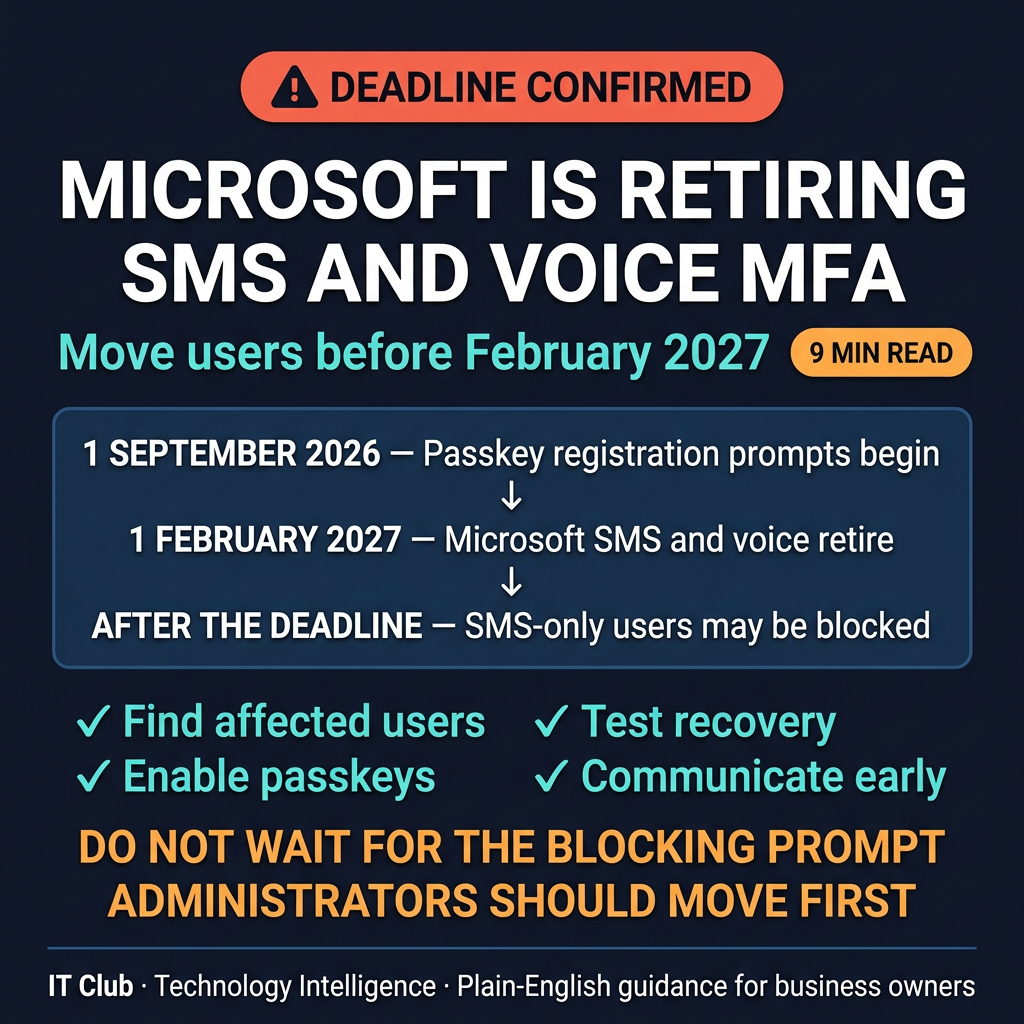
Tap to follow The IT Club Channel on WhatsApp.
Related Articles
1Password Wants AI Agents to Sign In Without Seeing Your Password
1Password’s new agent platform is designed to keep credentials hidden while a person approves a sign-in. It does not control everything an agent can do after login.
Read articleAI Helped Find Serious PHP Security Flaws. What Should Website Owners Do?
Two critical PHP vulnerabilities were disclosed in October 2026. The important lesson for a website owner is to check that the right maintainer has applied the fixes.
Read articleHow Can You Check Who Is Behind an Online Profile?
AI can make convincing profile pictures, voices and videos. Use independent checks and sensible boundaries rather than trusting appearance alone.
Read articleNeed help putting this into practice?
IT Club helps you understand the technology. If you need implementation, support or consultancy, the teams behind IT Club can help.
Altitude IT (opens in a new tab) — IT support, cyber security, Microsoft 365 and technology operations.
Altitude AI (opens in a new tab) — AI discovery, automation, governance and implementation.