Can We Move Sage to the Cloud Instead of Buying a New Server?
IT Club — Powered by Altitude IT (opens in a new tab)

Keep up with IT Club
Add IT Club as a preferred source in Google Search.
For a five-user business running Sage Accounts and Payroll on an ageing office server, Sage 50 Cloud should now be the first option to investigate — not an Azure virtual machine. This article explains the difference between cloud-connected and cloud-native Sage, covers all seven options in a realistic order of priority, and challenges the assumption that a server refresh automatically means server replacement.
This question has been published anonymously. Details that could identify the person or organisation have been removed.
The Question
"We have five members of staff using Sage Accounts and Sage Payroll on an office server. When they're in the office they connect to the server, and when working remotely they use a VPN and access the same system.
The server is now around five years old, so we're starting to think about replacing it. Rather than spending money on another physical server, could we move Sage into the cloud instead? We don't need anything overly complicated or expensive. We just want staff to be able to use Sage reliably from the office, home or elsewhere without having to maintain another server.
What are the sensible options, and has cloud hosting for Sage reached the point where it's a realistic replacement for an office server?"
— Asked anonymously. Generalised from a real enquiry.
The Quick Answer
Yes — and in 2026 there are now better options than simply moving the existing server into Azure.
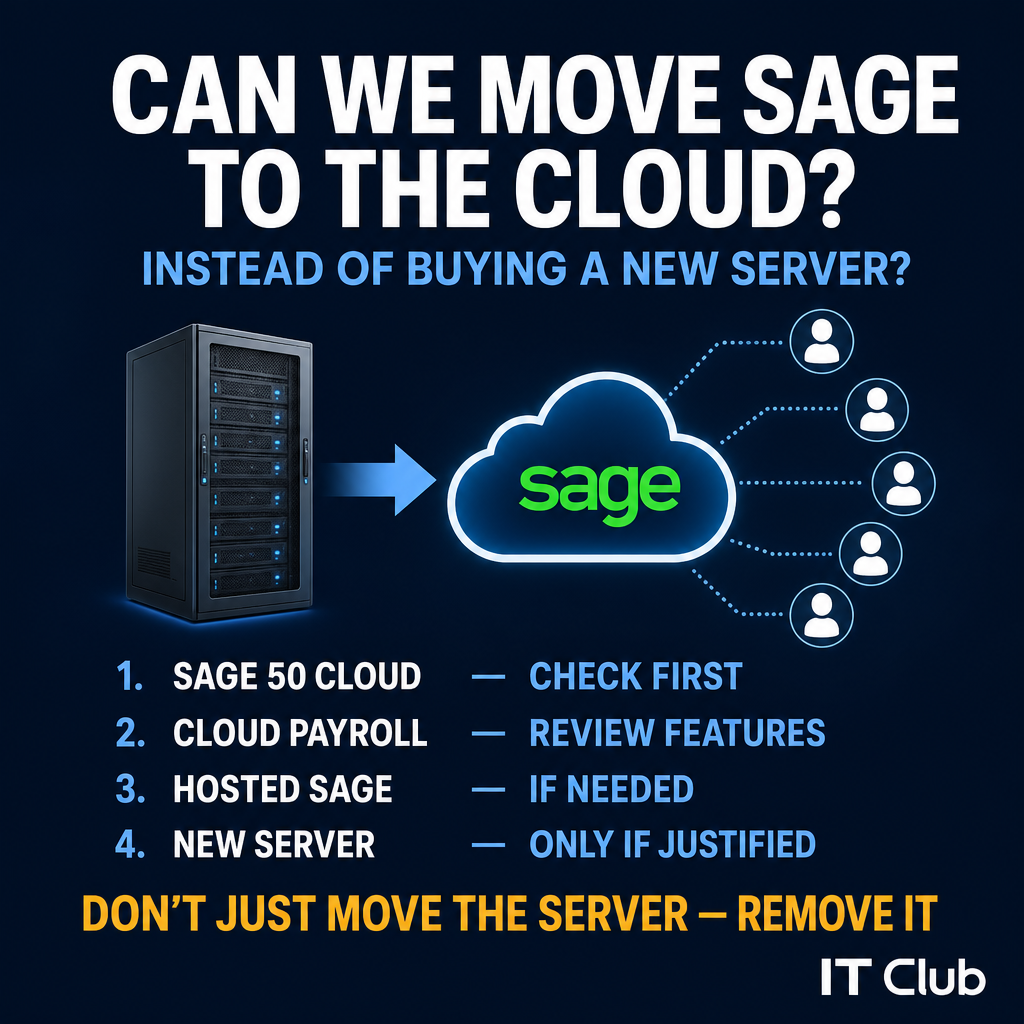
For a five-user business using Sage 50 Accounts and Payroll, I would investigate the options in this order:
- 1Sage 50 Cloud for Accounts
- 2Sage's cloud-native Payroll options
- 3Specialist hosted Sage desktop where exact desktop compatibility is required
- 4A replacement physical server only where the cloud options cannot meet the requirement
I would NOT automatically recommend building a normal Azure virtual machine and installing Sage on it.
Sage's published support documentation should be checked carefully, because standard Sage 50 Accounts has historically been outside Sage's support scope on virtual machines and Remote Desktop environments.
Do not spend money recreating an old server in somebody else's data centre until you have checked whether Sage itself now offers a cleaner cloud route.
Sage Itself Now Has a More Interesting Answer
The most important development for businesses in this position is that Sage announced Sage 50 Cloud for the UK in April 2026.
According to Sage's developer communication, Sage 50 Cloud is a new deployment option for Sage 50 Accounts that:
- Runs in the cloud rather than requiring local desktop installation
- Removes the need for manual application upgrades
- Retains the existing Sage 50 user experience
Sage also states that traditional Sage 50 Accounts desktop remains available. Before acting on this, verify the current general availability, licensing, user limits, migration requirements, partner requirements and UK rollout status directly with Sage.
If the customer wants to keep the Sage 50 experience but remove the server dependency, Sage 50 Cloud should now be the first product we ask Sage about.
"Cloud-Connected" and "Running in the Cloud" Are Not the Same Thing
Before comparing options, it is worth being precise about terminology, because Sage has used similar-sounding names for products with very different architectures.
| Product name | What it actually means |
|---|---|
| Sage 50cloud Accounts (historical) | A desktop application installed on Windows with cloud-connected features. The application and data still live on a local PC or server. |
| Sage 50 Cloud (2026 announcement) | A new deployment option that delivers the Sage 50 experience from the cloud, removing the local desktop installation requirement. |
| Sage Remote Data Access | Allows remote access to Sage 50 data hosted on the owner's own machine or server. Does not remove the dependency on that data host. |
"Cloud-connected" and "running in the cloud" are not the same thing. Verify Sage's current naming and architecture before making recommendations.
What About Payroll?
The question covers both Accounts and Payroll. Do not assume that solving the Accounts problem automatically solves Payroll.
Sage currently offers two broadly distinct payroll products:
- Sage Payroll — a cloud-based payroll product accessible online from anywhere, suitable for many small business requirements.
- Sage 50 Payroll — a more traditional desktop payroll product with cloud connectivity and support for more complex payroll requirements.
The correct question is not 'can we move payroll to the cloud?' but rather 'can this business move from its existing Sage 50 Payroll workflow to Sage Payroll without losing the functionality it relies on?'
Before answering that, review the current payroll requirements against the available products:
- Number of employees and payroll frequency
- Pension scheme integration
- Statutory payments (SSP, SMP, SPP)
- Departments and cost centres
- Reporting requirements
- HR functionality
- Bureau or third-party payroll bureau requirements
- Specialist reports
- Historic payroll data migration
- Integration with the existing Sage Accounts installation
Accounts and Payroll do not necessarily have to move to the cloud in exactly the same way.
The Options — Assessed in a Realistic Order
Option 1: Sage 50 Cloud — Likely First to Investigate
Sage 50 Cloud is the most relevant new option for this scenario, and is likely the first thing to price and assess. It is particularly suitable where:
- The business wants to retain the Sage 50 experience and workflow
- Several staff need simultaneous access
- Users work from different locations
- The existing server is being retired
- The business wants less infrastructure to manage
Potential advantages compared to the current server model:
- No office Sage server
- No dependency on office power or broadband staying available
- No VPN into the office just to use Sage
- Familiar Sage 50 interface retained
- Managed application deployment — no manual upgrade process
Considerations to verify before committing:
- Subscription model and per-user licensing costs
- Internet dependency — staff need reliable connections to use the application
- Printer support for invoices, payslips and reports
- Export and import workflows that currently touch local files
- Third-party Sage add-ons and integrations
- Backup and data recovery under the new model
- Data migration from the existing server
- Payroll compatibility with the chosen deployment
This is probably the cleanest route if Sage 50 Cloud supports the customer's exact Accounts requirements. Verify current capabilities directly with Sage before recommending it.
Option 2: Cloud-Native Sage Products
An alternative to preserving Sage 50 is migrating to a genuinely cloud-native Sage accounting product. Potential Sage products in this category include Sage Accounting and Sage Payroll, and for substantially more complex organisations, Sage Intacct.
Sage itself positions Sage Accounting as more suitable for simpler accounting requirements, while Sage 50 Accounts supports more complex workflows. This is not a like-for-like migration. Before recommending it, review:
- Stock management and inventory requirements
- Sales order processing and purchase order processing
- Departments and project costing
- Reporting requirements and custom reports
- Third-party integrations and add-ons
- Multi-company use
- User count and concurrent access requirements
- Accountant preferences — some accountants prefer specific Sage products
Moving to 'the cloud' is easy if you ignore the features the business currently depends on.
Option 3: Sage Remote Data Access — Helpful for Remote Working, Not a Server Replacement
Sage Remote Data Access allows users to work remotely with Sage 50 Accounts data. However, this is not a full answer to the server replacement problem.
Sage states that Remote Data Access requires:
- Sage 50 to still be installed on participating computers
- The primary data to remain stored on the data owner's machine or server
- A copy of the data to be shared through Sage's cloud service
Remote Data Access solves 'how do we work away from the office?' better than it solves 'how do we retire the old server?'
If the current arrangement already uses Remote Data Access, that may be helping with remote working — but the server question remains separate.
Option 4: Specialist Hosted Sage
Specialist providers offer Sage environments hosted in their data centres. This typically means the Sage desktop application runs on a hosted Windows environment, and users connect using remote desktop or published application technology.
Potential advantages:
- Familiar Sage desktop application
- No server physically at the customer's office
- Remote access included
- Provider manages hosting infrastructure
- Compatible with some existing Sage add-ons
Potential disadvantages:
- Still effectively a Windows desktop or server environment — managed by someone else
- Recurring hosting charge on top of Sage licensing
- Reliance on the hosting provider's availability and pricing
- Printing and scanning may require configuration
- Third-party integrations need specific testing
- Support responsibilities between provider and Sage need to be clearly defined
Hosted Sage can be a sensible transition, but it is usually 'Sage on somebody else's Windows server' rather than a fundamentally cloud-native application.
Important: Sage's Support Position on Virtual Environments
Sage currently states in its Sage 50 Accounts system requirements:
From Sage's published documentation
"We don't support Sage 50 Accounts on virtual environments like Virtual Machines or Remote Desktop, as they're outside our support scope."
Verify that this remains current immediately before publication and before recommending any virtual environment solution to a customer.
This creates an important distinction. A specialist Sage hosting provider may operate a supported commercial arrangement under different terms. But an IT provider should not assume:
- Azure VM + Windows + Sage 50 = a fully Sage-supported configuration
- A standard Azure deployment will be covered under Sage's normal support
Before building your own Azure Sage server, confirm Sage's support position in writing.
Option 5: Azure Virtual Machine
Technically, an Azure Windows VM could be architecturally similar to the current physical server. But that does not automatically make it the best option.
A full Azure VM deployment for Sage could require:
- Azure compute (VM)
- Windows Server licensing
- Storage and backup
- Security, patching and monitoring
- Identity and access management
- Remote Desktop Services and RDS CAL licensing where multiple users connect
- Secure remote access (VPN gateway, Azure Bastion or Conditional Access)
- Printer and peripheral configuration
The ongoing obligations include Azure compute costs (which accumulate continuously), Windows administration, Sage application maintenance, licensing complexity and the same vendor support questions — all without Sage's standard support coverage on virtual environments.
Moving the old server into Azure removes the metal. It does not necessarily remove the server.
Option 6: Azure Virtual Desktop
Azure Virtual Desktop (AVD) may appear attractive because five users need remote access. However, do not recommend AVD automatically for a Sage requirement.
AVD can provide a managed multi-user Windows environment with scalable remote access and central management — but the architecture still needs designing, and Sage application hosting, data storage, profile management, printer configuration and Sage's support scope all need to be addressed separately.
AVD can solve the remote desktop problem beautifully while still being the wrong answer to the Sage application problem.
Option 7: Windows 365
Windows 365 gives each user a persistent Cloud PC. For five users, this means five individual Cloud PCs — plus the Sage application and data architecture still needs resolving separately.
Windows 365 does not automatically solve:
- Sage multi-user database hosting and shared data
- Sage application compatibility and vendor support
- Payroll architecture
- Per-user cost at scale
Five Cloud PCs may be a very expensive way of solving one application requirement.
What About Buying Another Server?
A replacement physical server may still be sensible where:
- Sage requires a local installation for specific functionality
- Specialist third-party integrations depend on local infrastructure
- Local performance matters for large Sage datasets
- Internet connectivity is unreliable or a single point of failure
- Several other significant server workloads still justify the hardware
- Cloud hosting costs over three to five years exceed hardware replacement
But challenge the business before recommending it:
If Sage is the last reason the business owns a server, now is exactly the right time to challenge the architecture.
If the server currently runs file sharing, print serving, an ERP system, a CRM server or other critical workloads alongside Sage, the calculation changes. But if Sage is the last significant workload, spending thousands replacing server infrastructure solely for one application deserves serious scrutiny before commitment.
The Five-User Question
Five users is an interesting position. Too many to treat as a single-PC problem, but small enough that complex virtual desktop infrastructure may be overkill.
| Option | Five-user assessment |
|---|---|
| Sage 50 Cloud | Likely first option to price. Designed for multi-user access without an office server. |
| Sage cloud-native products | Potentially the cleanest long-term option if the functionality assessment passes. |
| Specialist hosted Sage | Useful where exact Sage desktop compatibility matters and cloud-native options don't fit. |
| New physical server | Still reasonable if other server workloads justify the hardware. |
| Azure VM / AVD | Technically possible but needs a clear commercial or technical justification to beat simpler options. |
| Windows 365 (5 users) | Five Cloud PCs is likely too expensive just to host one Sage installation. |
With five users, simplicity matters more than building the cleverest possible architecture.
Comparing the Real Cost
Do not compare options on first-month cost alone. Compare the full operating cost over three or five years:
| Option | What to include in the cost model |
|---|---|
| New physical server | Hardware, Windows Server licensing, RDS CALs, installation, backup, antivirus/security, electricity, warranty, ongoing support and eventual replacement. |
| Hosted / cloud infrastructure (Azure VM, AVD) | Monthly Azure compute, Windows licensing, storage, backup, security tooling, RDS CALs, patching, monitoring, remote access configuration and support costs. |
| Sage cloud products (Sage 50 Cloud, Sage Payroll) | Subscription per user per month, data migration, training, integration testing, any feature differences that require workflow changes. |
| Specialist hosted Sage | Monthly hosting per user, Sage licensing, backup, support, migration costs. |
Compare three- or five-year operating cost, not the first month's bill.
Before Deciding Anything: What Does Sage Currently Talk To?
Before choosing an option, establish exactly what the current Sage installation depends on:
Migration readiness checklist — establish this before pricing any option
Accounts
- Exact Sage product and version
- Number of companies in the data
- Data size and number of records
- Users and concurrent access requirements
- Modules in use (stock, purchase orders, sales orders, project costing, departments)
Payroll
- Exact payroll product and version
- Employee count and payroll frequency
- Complexity (multiple pay runs, statutory payments, pensions)
- Historical payroll data requirements
Add-ons and integrations
- Third-party Sage add-ons and plugins
- Banking and direct debit integrations
- Document management
- CRM integration
- E-commerce feeds
- Custom reporting tools
Printing and peripherals
- Invoice and statement printing
- Payslip printing
- Label printers
- Specialist printers or stationery
Files and connectivity
- Excel export and CSV import workflows
- PDF generation and distribution
- Shared drive dependencies
- Outlook and Microsoft 365 integration
Backup and recovery
- Current backup method and destination
- Recovery time requirements
- Data retention policy
Remote working
- Number of simultaneous remote users
- Remote working locations and broadband quality
- Current VPN setup and any constraints
Server — what else runs on it?
- File sharing and shared drives
- Print server
- Other business applications
- Network infrastructure roles (DNS, DHCP)
Before deciding where Sage should live, establish everything Sage currently talks to.
Do They Still Need Sage 50?
A server refresh is a natural point to question not just the infrastructure but also the application that required it.
If the business has used Sage 50 for many years, it is worth asking: if we were choosing accounting software from scratch today, would Sage 50 still be the choice?
This is not a reason to abandon Sage casually — staff are familiar with it, the data is in it, the accountant may prefer it, and migration is not free. But the question is worth raising. Review:
- Required features versus what Sage 50 provides
- Accountant and bookkeeper preferences
- Payroll requirements
- Third-party integrations
- Reporting requirements
- Migration cost and disruption
- Staff familiarity and retraining
A server refresh is sometimes the best opportunity to question the application that required the server in the first place.
Decision Tree: Where Should Sage Live?
Step-by-step decision guide for Sage server replacement
Step 1: Is Sage the main reason the server still exists?
If NO — Review all other server workloads before deciding anything about Sage. The server decision may need to consider file serving, print serving, other applications and network infrastructure before Sage enters the conversation.
If YES — Continue to Step 2.
Step 2: Can Sage 50 Cloud support the current Accounts requirements?
If YES — Price Sage 50 Cloud. Assess migration, licensing, printing, integrations and Payroll compatibility.
If NO or UNCERTAIN — Continue to Step 3.
Step 3: Can the business migrate to cloud-native Sage Accounting and Payroll?
If YES after full feature review — Price the migration. Include training, integration testing and data migration.
If NO — Continue to Step 4.
Step 4: Does exact Sage 50 desktop functionality need to remain?
If YES — Obtain pricing from specialist Sage hosting providers. Compare against Step 5.
Step 5: Compare specialist hosted Sage against a new physical server
Compare the three- to five-year operating cost of specialist hosted Sage against full server replacement. Include hardware, licensing, support, electricity and eventual replacement in the server calculation.
Only then: Consider a bespoke Azure or Azure Virtual Desktop solution
Only consider a bespoke Azure VM or AVD architecture where there is a clear commercial or technical reason that the simpler options cannot meet. Confirm Sage's support position in writing before designing any virtual environment solution.
Do not rebuild the old architecture in the cloud until you have challenged the architecture.
The IT Club Recommendation
For the scenario described — five users, Sage 50 Accounts and Payroll, ageing office server, staff working remotely over VPN — this is the order I would work through:
- 1Speak to Sage or the current Sage partner about moving the existing Sage 50 Accounts environment to Sage 50 Cloud.
- 2Assess whether the existing Sage 50 Payroll requirement can move to Sage Payroll or another supported Sage cloud deployment without losing necessary features.
- 3If exact Sage desktop functionality or third-party integrations prevent that move, obtain pricing from a specialist Sage hosting provider.
- 4Compare this against the full three- to five-year cost of replacing the physical server.
- 5Only then consider designing a bespoke Azure VM or Azure Virtual Desktop environment — and only where there is a clear reason.
I would now ask Sage how far we can remove the server before I ask Microsoft how to rebuild it in Azure.
Security — Whoever Hosts the Server Is Responsible for Protecting It
Whichever option is chosen, the security baseline must be maintained:
- Multi-factor authentication for all user accounts with access to Sage data
- No administrator accounts used for day-to-day Sage access
- No exposed public RDP — use VPN, Azure Bastion or equivalent
- Supported operating systems throughout, kept patched and current
- Endpoint protection on all devices connecting to Sage
- Clear user access control and leavers process
- Encryption at rest and in transit
- Logging and monitoring appropriate to the hosting model
If using a hosted or cloud provider, confirm in writing who is responsible for:
- Sage application support
- Windows patching and management
- Backup and recovery
- Security monitoring and incident response
- Availability and SLA
Cloud hosting changes who owns the server. It does not remove the need to know who is responsible for securing it.
Business Continuity — What If the Cloud Service Fails?
Before moving the accounts system anywhere, establish the answers to these questions:
- What happens if the internet connection fails? Can any Sage work continue offline?
- What happens if the cloud service or hosting provider has an outage?
- What is the provider's SLA and what compensation applies?
- What happens if a Sage application update causes a compatibility problem?
- How is data backed up, how often, and how is it recovered?
- What is the process if data becomes corrupt?
- How do you access the business data if the provider relationship ends?
- What is the data export format and portability guarantee?
Before moving the accounts system anywhere, establish how you get the business data back if the provider relationship ends.
Common Mistakes in Sage Cloud Migration Projects
- Assuming Sage 50cloud (the old connected desktop) means Sage runs fully in the cloud
- Confusing the 2026 Sage 50 Cloud product with the historical Sage 50cloud branding
- Assuming Remote Data Access removes the main data host requirement
- Rebuilding the existing server in Azure without reviewing Sage's own cloud options first
- Ignoring Sage's support position on virtual machines and Remote Desktop
- Solving the Accounts migration without separately reviewing Payroll
- Forgetting third-party Sage add-ons that may not work on a new platform
- Forgetting invoice, payslip and report printing requirements
- Forgetting Excel, CSV and PDF export and import workflows
- Comparing only the monthly hosting price rather than three-year total cost
- No performance testing before switching over
- No rollback plan if migration problems emerge
- Cancelling the old server before the new setup is confirmed stable
- Assuming all Sage products have identical feature sets
The dangerous word in this project is 'just': just move Sage to the cloud.
The IT Club View
Five years ago, the answer to an ageing Sage server was probably: replace the server.
A few years ago, hosted Sage providers offered an alternative: put the server somewhere else.
In 2026, the first question should be: does this application still need a server at all?
Sage's own move towards Sage 50 Cloud makes that question particularly relevant for businesses in exactly this position. The IT Club approach for this scenario would be:
- 1Inventory the current Sage setup — products, versions, data, users, modules
- 2Confirm exact Accounts and Payroll requirements, including what cannot change
- 3Identify every integration, add-on, print workflow and file dependency
- 4Investigate Sage 50 Cloud availability, licensing and migration path
- 5Assess cloud-native Payroll options against the current Payroll requirements
- 6Price specialist hosted Sage if required
- 7Compare the full three- to five-year cost against server replacement
- 8Select the simplest supported solution that meets the requirements
Cloud migration should remove unnecessary infrastructure, not simply relocate it.
If Sage is the last major application keeping an ageing server alive, I would exhaust Sage's supported cloud options before buying another server or recreating the existing environment in Azure.
Plain-English Takeaway
Summary
Yes, Sage can increasingly be moved away from an office server, but there are several different meanings of 'Sage in the cloud'. Sage 50 Cloud should now be the first option to investigate for Sage 50 Accounts, while Payroll needs a separate feature review. Remote Data Access helps remote working but does not necessarily remove the main data host, and a self-built Azure virtual machine may recreate much of the server management you were trying to remove. For a five-user business, the best solution is likely to be the simplest Sage-supported cloud option that preserves the features the business actually uses.
Related Reading
How to Choose an IT Support Company in Manchester — Buyer's Guide →
How to Choose an IT Support Company in London — Buyer's Guide →
How to Choose an IT Support Company in Birmingham — Buyer's Guide →
How to Choose an IT Support Company in Leeds — Buyer's Guide →
Related Questions
25 questions about moving Sage to the cloud
Can Sage 50 Accounts run in the cloud?
Yes, with the right deployment option. Sage announced Sage 50 Cloud in 2026 as a new cloud deployment of Sage 50 Accounts. Specialist hosting providers have also offered hosted Sage 50 environments for many years. Verify current Sage 50 Cloud availability and capabilities directly with Sage.
What is Sage 50 Cloud?
Sage 50 Cloud (announced for the UK in April 2026) is a new deployment option that delivers the Sage 50 Accounts experience from the cloud, removing the need for a local desktop installation and manual application upgrades. Verify current general availability, pricing and feature parity with Sage.
Is Sage 50 Cloud the same as Sage 50cloud?
No — these are different products with similar names. Sage 50cloud (older naming) is a desktop application with cloud-connected features. The data and application still run locally. Sage 50 Cloud (2026) is a new cloud deployment that runs the Sage 50 experience remotely. Verify Sage's current naming and architecture before recommending either.
Is Sage 50 Accounts cloud based?
Historically no — Sage 50 Accounts is a desktop application. However, Sage 50 Cloud (2026) is a new deployment that delivers the Sage 50 experience from the cloud. Sage Remote Data Access adds cloud-connected remote working features but does not make the core application cloud based.
What is Sage Remote Data Access?
Sage Remote Data Access allows authorised users to work with Sage 50 Accounts data from different locations. Sage 50 must still be installed on participating computers, and the primary data still lives on a data owner's machine or server. It improves remote working but does not remove the main data host.
Does Remote Data Access remove the need for a server?
No. Remote Data Access allows remote access to Sage data stored on the owner's machine or server — it does not replace that data host. If the server hosts the primary Sage data, the server must remain running for Remote Data Access to work.
Does the office PC need to stay switched on for Sage Remote Data Access?
The machine hosting the primary Sage data must be available for Remote Data Access users to connect. If that is an office PC rather than a server, it must remain powered and accessible. A server arrangement is typically more reliable for this reason.
Can Sage Payroll run in the cloud?
Yes. Sage Payroll is a cloud-based payroll product accessible from anywhere with internet access. It is a different product from Sage 50 Payroll, which is a desktop product. Verify which product meets the specific payroll requirements before migrating.
What is the difference between Sage Payroll and Sage 50 Payroll?
Sage Payroll is a cloud-based product suited to many small business payroll requirements. Sage 50 Payroll is a more traditional desktop application designed for more complex payroll workflows. They have different feature sets. A detailed comparison of the specific payroll requirements against each product is needed before recommending migration.
Can Sage 50 run on Azure?
Technically it is possible to install Sage 50 on an Azure virtual machine. However, Sage has historically stated that virtual machine environments are outside its standard support scope. Confirm Sage's current support position before recommending any Azure VM deployment.
Does Sage support virtual machines?
Sage's published documentation has stated that virtual machine environments are outside the Sage 50 Accounts support scope. Verify the current position directly with Sage before designing any virtual environment solution.
Does Sage support Remote Desktop?
Sage's documentation has historically stated that Remote Desktop environments are outside its standard support scope for Sage 50 Accounts. Specialist hosting providers may operate under different commercial support arrangements. Verify the current position with Sage before deploying.
Can Sage run on Azure Virtual Desktop?
Azure Virtual Desktop uses a virtual machine and Remote Desktop infrastructure, both of which fall within the categories Sage has historically stated are outside its standard support scope. A specialist Sage hosting provider may have a supported arrangement. Verify with Sage.
Can Sage run on Windows 365?
Windows 365 Cloud PCs are virtual machines delivered through Azure. The same Sage support scope questions apply. Additionally, for five users needing shared Sage data access, five separate Cloud PCs still need the Sage data architecture resolving centrally. Verify with Sage.
What is hosted Sage?
Hosted Sage refers to commercial services where a specialist provider runs Sage desktop applications on their own servers, with users connecting via remote desktop or published application technology. It removes the need for an on-premises server while retaining the Sage desktop experience.
Is hosted Sage really cloud software?
Hosted Sage is usually the Sage desktop application running on a Windows server in a data centre, accessed remotely. It is 'Sage on somebody else's Windows server' — which solves the physical infrastructure problem but does not make the Sage application itself cloud-native.
Do I still need a server for Sage?
With Sage 50 Cloud (2026), possibly not — it is designed to remove the server dependency. Sage Accounting and Sage Payroll are cloud-based. However, the traditional Sage 50 desktop still requires a local installation. Verify the current Sage 50 Cloud status and suitability for the specific requirements.
Is a new server cheaper than hosted Sage?
It depends on the full cost comparison over three to five years. A new server has a large upfront cost but lower ongoing fees. Hosted Sage or cloud subscriptions spread the cost monthly but accumulate over time. Compare the full cost including hardware, licensing, support, electricity, backup and eventual replacement.
What happens to Sage backups in the cloud?
Confirm the backup arrangement with the provider before migrating. Understand what is backed up, how often, how it is recovered, how long data is retained, and how to obtain a copy of business data if the provider relationship ends.
Can several users use Sage remotely?
Yes — the current VPN arrangement already achieves this. Sage 50 Cloud, hosted Sage and Azure Virtual Desktop can all support multi-user remote access. The question is which approach best fits the specific requirements without introducing unnecessary complexity or cost.
Can Sage work without a VPN?
It depends on the deployment. Sage 50 Cloud and Sage Payroll (cloud-based) are designed for internet access without a VPN. Hosted Sage may use a direct browser or remote access connection rather than a VPN. A traditional server arrangement usually requires a VPN for remote access.
What happens to Sage printing?
Printing from Sage — invoices, statements, payslips, remittances — needs to be tested on any new platform before migration. Remote and cloud deployments handle printing differently. Test the specific printers and documents in use before going live.
What happens to Sage integrations?
Third-party integrations with Sage — banking, CRM, e-commerce, document management — need to be verified against any new platform before migration. Not all add-ons work in hosted or cloud environments. Identify every integration dependency before committing to a migration path.
Should we replace Sage when replacing the server?
It is worth asking the question. A server refresh is a natural opportunity to review the application that required the server. If Sage 50 would not be the choice made from scratch today, and a migration is financially and operationally practical, the timing may be appropriate. But do not migrate Sage casually — the cost and risk of migration need to be weighed carefully.
Can IT Club help compare a server and cloud proposal?
Yes. Use the Ask the Advisor service. Tell us which Sage products you use, how many users need access, what else runs on the server, whether staff work remotely, and any integrations or add-ons involved. We can help you work out which options deserve pricing before you commit.
Plain-English Takeaway
Yes, Sage can increasingly be moved away from an office server, but there are several different meanings of 'Sage in the cloud'. Sage 50 Cloud should now be the first option to investigate for Sage 50 Accounts, while Payroll needs a separate feature review. Remote Data Access helps remote working but does not necessarily remove the main data host, and a self-built Azure virtual machine may recreate much of the server management you were trying to remove. For a five-user business, the best solution is likely to be the simplest Sage-supported cloud option that preserves the features the business actually uses.
Tap to follow The IT Club Briefing on WhatsApp.
Related Articles
Why has my iPhone screen suddenly turned blue?
A sudden blue tint does not necessarily mean your iPhone screen has failed. Check its Accessibility display settings first.
Read articleHow Do I Get My First Cybersecurity Job When Entry-Level Roles Want Three Years' Experience?
Matheus is changing direction from financial risk management into cybersecurity, but entry-level vacancies keep asking for three years' experience. The answer is not to pretend he has no experience — it is to translate the risk, technical and practical evidence he already has.
Read articleDoes Sage 200 Still Work with Microsoft 365?
Yes — Sage 200 can still work with Microsoft 365, but the answer depends on your Sage version, the feature, licensing, Office architecture, onboarding and client environment.
Read articleNeed help putting this into practice?
IT Club helps you understand the technology. If you need implementation, support or consultancy, the teams behind IT Club can help.
Altitude IT (opens in a new tab) — IT support, cyber security, Microsoft 365 and technology operations.
Altitude AI (opens in a new tab) — AI discovery, automation, governance and implementation.