Still Running VMware ESXi? Don't Assume You Should Keep It
IT Club — Powered by Altitude IT (opens in a new tab)

Keep up with IT Club
Add IT Club as a preferred source in Google Search.
VMware ESXi remains a capable hypervisor, but Broadcom's acquisition of VMware brought significant licensing and support changes that businesses running older free or perpetual ESXi licences need to understand. This article helps IT decision-makers audit their ESXi environment, understand hypervisor security, assess hardware lifecycle, compare realistic migration options and decide whether to keep, upgrade or move on — without assuming any single answer is right for everyone.
Quick Answer
VMware ESXi remains in active use in UK business environments and is a capable enterprise hypervisor. However:
- Broadcom's acquisition of VMware brought significant licensing and support model changes
- The free ESXi hypervisor licence was discontinued by Broadcom — existing deployments using it need a clear plan
- Perpetual licence models have been replaced by subscription-based offerings in Broadcom's current portfolio
- Older ESXi versions eventually fall out of general support — verify your specific version against VMware's current lifecycle documentation
- Hardware running ESXi may itself be approaching end of life
- Single-host ESXi environments create a recovery dependency that deserves explicit acknowledgement
None of this means VMware ESXi must be replaced immediately. It means the decision to keep it should be an informed one.
The server room looks familiar. One physical host running VMware ESXi. Half a dozen virtual machines — a domain controller, a file server, a line-of-business application, perhaps an RDS session host. The whole infrastructure balancing on a single piece of hardware that nobody has touched in three years because nothing has gone wrong.
ESXi is running. The VMs are running. Backups are completing — or at least the job log says they are. The obvious conclusion: if it is not broken, do not fix it.
The less obvious question is whether the environment has quietly moved from a deliberate operational choice into accumulated technical debt. Licensing has changed. Support lifecycles have moved. The hardware is ageing. And the backup may not be as recovery-ready as assumed.
A functioning virtualisation platform and a strategically sound one are not necessarily the same thing.
This article is not a case for abandoning VMware. It is a structured way to decide whether keeping it is actually the right call.
VMware Is Not Dead — But It Has Changed
A significant amount of commentary following Broadcom's acquisition of VMware in late 2023 leant towards the dramatic. The reality is more nuanced, and it is worth being precise.
- VMware ESXi, vSphere and the wider VMware product family continue to be developed and sold by Broadcom
- Enterprise VMware deployments with current licensing are supported and continue to receive updates
- The free ESXi hypervisor (ESXi Free / vSphere Hypervisor) was discontinued by Broadcom — businesses running it no longer have access to patches under that model
- Perpetual licences with support contracts have been transitioned to a subscription model in Broadcom's current portfolio — if your contract pre-dates the acquisition, verify the current position with Broadcom or your reseller
- ESXi versions follow their own support lifecycle — check your specific version against VMware's current lifecycle documentation, as general support end dates vary by release
Do not assume ESXi is universally unsupported, and do not assume your specific deployment is still covered without checking. Both errors create real problems.
The key question for any individual business is not whether VMware ESXi exists — it does — but whether your specific licence, version and support arrangement is valid, current and financially appropriate for the scale of infrastructure you are running.
Start With an Honest Inventory
Before any decision about keeping, upgrading or migrating an ESXi environment, record what actually exists. Do not guess.
| Field | Notes |
|---|---|
| Physical host | Make, model, serial number |
| ESXi version | Exact version string — check against VMware lifecycle documentation |
| Licence type | Free, perpetual, subscription — obtain written confirmation of current support status |
| Support contract | In place, expired, or not applicable — verify with Broadcom or your reseller |
| Hardware purchase date | Actual purchase date, not the OS installation date |
| Warranty status | Active, extended, or expired |
| Virtual machines | Name, OS, role, resource allocation, power state |
| Guest OS versions | Each VM's operating system and its own support lifecycle |
| Backup coverage | Which VMs are backed up, by which product, to where |
| Backup restoration test | Date of last tested restore — not just a successful backup job |
| Management access | vSphere Client, DCUI, SSH — what is enabled and who has access |
| Network configuration | VLANs, virtual switches, uplinks |
| Storage | Local, NAS, SAN — hardware age and health |
| Applications running in VMs | Vendor, version, licence, support status |
| Single-host dependency | Yes/no — if this host fails, what is the recovery plan? |
Do not make any licensing or migration decisions before this inventory exists in writing.
What Changed With Licensing and Support — High Level
This article does not reproduce specific licence pricing or detailed contract terms, which Broadcom updates and which vary by customer, reseller and region. The high-level changes that are broadly understood at the time of writing are:
- The free VMware vSphere Hypervisor (ESXi Free) was withdrawn — businesses relying on it should seek direct confirmation of their current position from Broadcom
- Broadcom replaced perpetual licences with subscription-based VMware Cloud Foundation and vSphere Foundation offerings as its primary go-forward portfolio
- Support and update access now generally requires an active subscription — perpetual licence holders with legacy support contracts should verify what their current entitlement covers
- Smaller and single-host deployments may find the current commercial terms materially different from what they were accustomed to paying
Verify the current licensing position for your specific deployment directly with Broadcom or an authorised partner before making any financial or migration decisions based on this summary. Licence terms change.
Hypervisor Security and Management Access
ESXi, like any hypervisor, sits below the operating systems of every virtual machine it hosts. A compromised hypervisor potentially gives an attacker visibility of or access to all VMs on that host. This makes hypervisor-layer security important in ways that a single physical server running one OS is not.
- Keep ESXi at a patched version — an unpatched hypervisor is a significant risk regardless of the guest OS patch state
- Review which management interfaces are exposed: DCUI, SSH, ESXi Shell, vSphere Client, SNMP
- SSH and ESXi Shell should be disabled when not actively in use — they are sometimes left on permanently from a historical troubleshooting session
- Management access should not be reachable from the general business network or the internet without strong authentication
- Review the list of accounts with access to the ESXi host — service accounts, legacy admin accounts and shared credentials all increase exposure
- Lockdown Mode, where supported by your version and licence, restricts direct host access and channels management through vCenter — useful but requires vCenter to be in place
- Review the host firewall rules for services that are running but not required
If an ESXi host is reachable directly from the internet or has SSH permanently open with a shared password, that is a security problem independent of any licensing question.
ESXi has been the subject of specific CVEs and ransomware campaigns targeting exposed management interfaces. Running an unpatched ESXi version with open management ports significantly increases the attack surface. This is not a reason to panic about VMware specifically — any unpatched, network-exposed management plane carries similar risk. But the hypervisor layer deserves explicit security review rather than being treated as infrastructure that manages itself.
Backups and Recovery to an Alternative Host
One of the most important and most frequently overlooked questions in a single-host ESXi environment is this: if the ESXi host failed completely today, could the business recover its virtual machines to a different platform?
There is a significant difference between:
- A backup that can restore a VM back to the same ESXi host (useful for data loss events, not for host hardware failure)
- A backup that can restore a VM to a different ESXi host (requires replacement hardware running a compatible ESXi version)
- A backup that can recover individual VMs or their data independently of the hypervisor platform (portable recovery)
Backup products such as Veeam, Nakivo and others support ESXi-level backup with cross-platform recovery options — but the details matter. Verify exactly what your backup product can restore to, and under what conditions. A Veeam backup of a VMware VM can in many configurations be recovered to Hyper-V, but this should be tested before it is needed, not assumed on the day of a hardware failure.
A backup that can only recover to the same ESXi host is only half a recovery strategy.
- Confirm which VMs are backed up by what product and on what schedule
- Confirm the backup is application-aware for SQL Server, Active Directory and any databases
- Confirm an offsite or immutable copy exists — on-host backup jobs are deleted by a ransomware attack that compromises the host
- Test a full VM restore to a clean target — not just a file recovery
- Document what hardware or platform you would recover to in a complete host failure scenario
- Ensure recovery credentials, encryption keys and documentation are accessible without the ESXi host being online
Hardware and Host Lifecycle
VMware ESXi version support and hardware support are separate lifecycles and both matter. A business might be running an ESXi version that is still technically within general support, on hardware that is already beyond its manufacturer's supported lifetime.
- Check the physical host's purchase date — not the ESXi installation date
- Server hardware typically carries a three- or five-year manufacturer warranty; hardware support extensions are available but expensive at an advanced age
- Review storage health: RAID controller firmware, disk S.M.A.R.T. status, SSD wear levels, battery-backed write cache condition
- Review memory for uncorrected ECC errors in the hardware event log
- Confirm firmware and BIOS are current against manufacturer published versions
- Check whether the hardware appears on the VMware HCL (Hardware Compatibility List) for the ESXi version you intend to run going forward
- If the hardware is also approaching end of manufacturer support, an operating system upgrade alone does not resolve the lifecycle problem
Solving the hypervisor licence problem on hardware that is about to fail simply moves the crisis later rather than preventing it.
For many SME environments, the right outcome of a licence and support review is to combine it with a planned hardware refresh — so the new platform, whether VMware, Hyper-V or something else, starts on hardware that carries a current warranty and a known lifecycle.
The Options: Keep, Upgrade, Migrate or Retain Temporarily
There is no universal right answer. The decision depends on the number of VMs, the applications running inside them, the hardware lifecycle, the cost of the current or replacement VMware licence, and the IT skills available to maintain the platform going forward.
| Option | When it may make sense | Points to consider |
|---|---|---|
| Keep VMware ESXi (current licence and version) | Active support contract; current ESXi version; hardware within lifecycle; cost is reasonable; team has VMware skills | Verify licence and support status in writing; confirm hardware health; do not assume continuation is safe without checking |
| Upgrade to current VMware subscription | Business depends on VMware features; current commercial terms are acceptable; Broadcom's enterprise support is required | Obtain a direct quote; compare total cost over three to five years against alternatives; subscription costs are now ongoing rather than one-off |
| Migrate to Hyper-V (Windows Server) | Windows Server already licensed; Microsoft skills available; workloads are Windows-native; single-host SME environment | Hyper-V is built into Windows Server 2022 and 2025; no hypervisor licence cost; fewer advanced clustering features than enterprise VMware at small scale; see comparison table below |
| Migrate workloads to Azure or SaaS | Specific VMs exist mainly to host an application that now has a cloud or SaaS equivalent | Evaluate per workload; total cost of ownership comparison is essential; not every application benefits from cloud hosting; see SaaS migration section below |
| Migrate to Proxmox | Open-source preference; comfortable with Linux-based management; cost sensitivity is high; technical resource available to manage it | Viable for technically capable teams; commercial support available from Proxmox Server Solutions; less common in UK SME managed-service provider stacks; import tools exist but test migration carefully |
| Evaluate Nutanix | Hyper-converged infrastructure is appropriate; budget allows; larger or growing virtualisation footprint | Nutanix Community Edition exists for evaluation; commercial deployment costs are material; more suited to organisations where HCI provides a genuine operational benefit |
| Temporary retention while planning migration | Current environment is functioning; licence and support position is confirmed; hardware is healthy; migration plan is being developed | Set a firm review and migration date; do not allow temporary retention to become permanent drift; continue patching and maintaining the environment throughout |
VMware ESXi vs Hyper-V: A Balanced Comparison
Neither VMware ESXi nor Hyper-V universally wins this comparison. The right answer depends on what the business needs, what it already has and what it can maintain. This table reflects the position for a typical SME rather than large enterprise deployments.
| Area | VMware ESXi (current) | Hyper-V (Windows Server 2022/2025) |
|---|---|---|
| Licence cost (SME, single host) | Subscription required following removal of free tier; costs vary by agreement | Included in Windows Server licences already required for Windows VMs; no separate hypervisor cost |
| Feature depth | More advanced enterprise features: DRS, HA, vMotion, NSX — most relevant at scale | Core virtualisation features; live migration available with appropriate Windows Server edition; Replica for DR |
| Management interface | vSphere Client (web); familiar to VMware-trained staff | Windows Admin Centre or Hyper-V Manager; familiar to Windows-trained staff |
| Guest OS support | Wide OS support including Linux | Wide OS support including Linux; deepest integration with Windows Server guests |
| Backup tooling | Broad third-party support: Veeam, Nakivo and others | Broad third-party support: Veeam, Nakivo and others; some tools also use Windows Server Backup natively |
| Skills in UK SME market | Common among specialist infrastructure engineers and larger MSPs | Widely available among general Windows Server administrators and most UK MSPs |
| Migration from ESXi | No migration required | Tools available (Veeam, StarWind V2V, Microsoft MVMC); conversion requires planning and testing |
| Cyber Essentials | Requires patching — see licensing section above for update access | Receives updates through standard Windows Update/WSUS |
| Hardware compatibility | VMware HCL; some older hardware not on current list | Broad hardware support through Windows driver ecosystem |
A Hyper-V migration is not automatically simpler, cheaper or safer than renewing VMware. It is an architectural change that requires planning, testing and skill. Do not migrate to avoid a licence cost if the migration itself costs more than the licence.
Proxmox and Nutanix: Proportionate Mentions
Two platforms are often raised in conversations about VMware alternatives and deserve a proportionate rather than dismissive or oversold mention.
Proxmox Virtual Environment is a genuine open-source hypervisor based on KVM and LXC, with a capable web interface, cluster support and commercial support available from Proxmox Server Solutions. It is a credible option for technically capable teams and cost-sensitive environments. The practical challenge for many UK SMEs is that fewer managed service providers maintain active Proxmox competence, meaning in-house or specialist resource is needed. Migration tooling from ESXi exists but should be tested, not assumed.
Nutanix offers hyper-converged infrastructure that combines compute, storage and virtualisation. It is a serious enterprise platform and relevant for organisations where HCI simplifies operations at scale. For a typical SME running five to fifteen VMs on a single host, Nutanix would typically represent a material increase in both cost and complexity rather than a simplification.
Neither platform is right or wrong in isolation. The question is always whether the platform matches the skills, budget and scale of the organisation using it.
VMware ESXi Decision Tree
Work through these questions in order. The answers will narrow the field of sensible options for each host.
- 1What licence type are you running? (Free/discontinued, perpetual, subscription) — Verify in writing with Broadcom or your reseller before proceeding.
- 2Is your ESXi version currently within VMware's general support period? — Check against VMware's official lifecycle documentation for your specific version.
- 3Is the physical host hardware within its manufacturer's supported and warranted lifecycle? — Check purchase date and warranty status.
- 4Does your backup allow recovery to an alternative host or platform? — Test, do not assume.
- 5How many VMs are running, and what do they do? — This determines how much migration complexity exists.
- 6Does every VM workload actually need to stay on-premises on a hypervisor? — Some may be better candidates for SaaS, cloud or application replacement.
- 7What skills and support resource exists to maintain the platform? — Match platform choice to available competence.
- 8What is the total three-year cost of the current or replacement VMware licence vs a Hyper-V migration on a hardware refresh? — Both require honest cost modelling.
If you reach the end of this tree and VMware still makes sense on cost, skills and support grounds, that is a legitimate outcome. If the answers reveal problems — an unsupported version, discontinued licence, ageing hardware, or a backup that cannot recover to an alternative host — those are the items to resolve first.
Virtualisation Health Check
Whether you are planning to keep ESXi, migrate to another platform or simply ensure the current environment is safe, a structured health check should cover:
- ESXi version and patch level — verified against VMware's current lifecycle documentation
- Licence and support contract status — confirmed in writing
- Hardware health: RAID, disks, memory, firmware, UPS
- Management access review: SSH, shell, exposed ports, account audit
- VM inventory: every VM, its OS, its role, its resource allocation
- Guest OS lifecycle: each guest OS checked against its vendor's support dates
- Application inventory: every application running in a VM, its licence and its support status
- Backup coverage and configuration: which VMs, which product, which schedule, where the backup goes
- Backup restoration test: documented restore of at least one VM to a clean target
- Network configuration: virtual switches, VLANs, uplinks, firewall rules
- Single-host dependency: documented recovery plan for complete host failure
IT Club Framework: VMware ESXi Green / Amber / Red
Use this framework to identify where attention is needed. This is a qualitative guide — do not convert it to a score. Its purpose is to surface specific gaps.
| Area | Green — known and sound | Amber — needs attention | Red — unknown or high risk |
|---|---|---|---|
| Licence and support | Active, written-confirmed subscription or support contract; update access confirmed | Perpetual licence of uncertain current status; support contract lapsed but hardware healthy | Running free ESXi with no confirmed update access; licence status unknown |
| ESXi version | Current version within general support; fully patched | Slightly behind current; within support but patching delayed | End-of-general-support version with no patch path confirmed |
| Hardware | Within manufacturer warranty; firmware current; storage healthy | Warranty recently expired; extended cover in place; minor alerts addressed | Unknown age or purchase date; expired warranty; storage alerts; failed disks |
| Management access | SSH and shell disabled when not in use; management on isolated network; accounts reviewed | SSH occasionally left on; management accessible from main LAN; some account review done | SSH permanently open; management exposed to internet or general network; shared/default credentials |
| Backup and recovery | All VMs backed up; offsite/immutable copy confirmed; restore tested to alternative host | Most VMs backed up; offsite copy exists; restore to same host tested but not cross-platform | Some VMs not covered; no offsite copy; no tested restore; no cross-platform recovery confirmed |
| Guest OS lifecycle | All guest OSes within vendor support; patching current | One or more guests approaching end of support; patch status mixed | Guest OSes beyond end of support; no patching plan |
| Single-host dependency | Documented recovery plan; alternative host or platform identified; recovery tested | Aware of the dependency; no formal plan but backup exists | No recovery plan; single host failure would leave business unable to operate |
| Migration plan | Formal plan written; date and budget agreed | Options identified; comparison in progress | No review has taken place; no plan |
For every red area, identify the single most important next action. For amber areas, set a review date. Green areas should be verified periodically — they do not stay green without continued attention.
Guest OS Lifecycle: Windows Server 2019
Many ESXi environments run Windows Server 2019 guest virtual machines. If your VMs are running Windows Server 2019, the ESXi layer is not the only lifecycle clock ticking. Windows Server 2019 Extended Support ends on 9 January 2029. Guest OS planning should be part of any virtualisation review, not a separate project that follows it.
Still Running Windows Server 2019? It's Time to Plan the Upgrade →
Cyber Essentials: What 'Supported Software' Means for ESXi
For UK businesses holding or seeking Cyber Essentials certification, the supported software requirement applies to in-scope devices and software — and a hypervisor hosting in-scope virtual machines is part of the scope conversation.
Cyber Essentials requires that software in scope receives security updates from its vendor. An ESXi version that is within VMware's general support period and receiving patches satisfies this requirement at the hypervisor layer, subject to patching being kept current.
An ESXi version beyond its vendor's general support end date — or a deployment running the discontinued free licence with no confirmed access to security updates — creates a Cyber Essentials concern for any in-scope infrastructure it hosts. The IASME/NCSC scheme requirements should be verified directly before drawing conclusions for any specific environment.
Running an unpatched or unsupported hypervisor in scope is a Cyber Essentials consideration regardless of how healthy the guest operating systems are.
What Counts as a Cloud Service for Cyber Essentials? →
Single-Host Dependency
The most common SME ESXi configuration is a single physical host running all virtual machines. This is a reasonable architecture for small businesses — it is cost-effective and manageable. But it creates a dependency that must be explicitly acknowledged and planned for.
If the host hardware fails — motherboard failure, RAID controller failure, power supply failure — every VM goes offline simultaneously. Recovery time depends entirely on:
- Whether a backup of each VM exists and is current
- Whether that backup can be recovered to a different host or platform without requiring the original ESXi hardware
- Whether replacement hardware is available — or whether cloud-based recovery is possible
- Whether recovery procedures are documented and have been tested
- Whether credentials, licence keys and recovery documentation are accessible without the failed host
A single-host environment is not a high-availability architecture. That is not a criticism — it is a fact that shapes what the recovery plan must address.
The operational heartbeat question is relevant here: if the ESXi host failed right now, how long before the business could operate normally? What would the cost be? Is that acceptable? If the honest answer is that it would take days and the cost would be significant, the recovery plan needs to be strengthened regardless of which hypervisor the business uses.
Recovery, Migration and Rebuild Guidance
Whatever platform decision is reached, the recovery and migration discipline is the same. Before committing to any change:
- Take a full backup of every VM — not just the data volumes, but the complete VM configuration and disk images
- Verify the backup has completed and confirm the restore is possible to a clean target
- Document the network configuration of every VM before migration
- Document IP addresses, hostnames, DNS entries and domain membership
- For domain controllers: run dcdiag and repadmin /replsummary before and after any migration work
- For SQL Server guests: back up every database separately and test restore
- For application VMs: contact the application vendor to confirm the guest OS and platform change are supported
- Migrate VMs in a planned order — infrastructure dependencies before application VMs
- Test every application in the new environment before decommissioning the old host
- Remove the old host from DNS and DHCP only after all VMs are confirmed operational
Do not run both the old ESXi environment and the new platform simultaneously for longer than necessary — duplicate domain controllers and duplicate DHCP scopes cause problems that are harder to unpick than a clean cut-over.
Operational Heartbeat
The operational heartbeat concept describes the steady, ongoing activity that keeps a live IT environment secure and functional — not a one-time review, but a rhythm of regular maintenance.
For an ESXi environment, the operational heartbeat covers:
- Applying ESXi patches promptly within the support and update access available
- Keeping guest OS patches current on all VMs
- Reviewing backup job logs — not just checking they show green, but periodically running a real restore to confirm recoverability
- Monitoring hardware health alerts from iDRAC, iLO or equivalent IPMI interface
- Reviewing management access and account permissions periodically
- Checking that SSH and ESXi Shell are disabled when not needed
- Keeping application software within supported versions on each guest
- Reviewing the single-host recovery plan annually or when hardware changes
A virtualisation platform that is not actively maintained will drift from green to amber to red without any visible symptoms until something goes wrong. The goal of the operational heartbeat is to ensure that a review catches problems early rather than discovering them at the moment of failure.
Questions for Your IT Manager or MSP
If you have a managed service provider or internal IT team responsible for your ESXi environment, these are reasonable questions to ask:
- What version of ESXi are we running, and is it within VMware's current general support period?
- What is our current licence type, and does it include access to security patches?
- When was the physical host purchased, and is it within the manufacturer's warranty or a valid extended support arrangement?
- Can our backup recover a VM to a platform other than the current ESXi host?
- When was the last full VM restore tested to a clean target?
- Is SSH or ESXi Shell currently enabled on the host?
- Are all guest operating systems within their vendor's supported lifecycle?
- What is the documented recovery plan if the physical host fails completely?
- Has a cost comparison been done between renewing VMware licences and migrating to Hyper-V?
- What is the plan and timeline for any required changes?
IT Club View
VMware ESXi is a capable platform with a long track record. It is not a platform businesses should feel compelled to abandon.
The reason this article exists is not that ESXi is dead — it is that the combination of Broadcom's licence changes, the withdrawn free tier and hardware ageing has made it genuinely necessary to check rather than assume. Too many SME environments are running ESXi on the basis that it worked yesterday and therefore it will continue to work tomorrow, without anyone having confirmed that the licence is valid, the patches are reachable, the hardware is healthy and the backup can recover to an alternative host.
For businesses where VMware makes sense — where the licence cost is acceptable, the support contract is active, the hardware is within lifecycle and the IT team has VMware skills — there is no compelling reason to change. For businesses where any of those conditions are not met, the prudent action is a structured review rather than continued drift.
Hyper-V is not automatically the right alternative. It is the lowest-friction option for Windows-centric environments with limited budget, because the hypervisor cost is included in Windows Server licences the business already needs. But a migration is still a project with real cost and risk, and it should be evaluated honestly against the cost of a VMware subscription renewal before any decision is made.
Plain-English Takeaway
VMware ESXi is still a current virtualisation technology, but many businesses are running older VMware installations that have not been reviewed for years. Broadcom's licensing changes, ageing server hardware and the support status of older ESXi releases make this a good time to check whether your existing platform still makes sense. The right answer might be to upgrade VMware, migrate to Hyper-V, move workloads to the cloud, replace an old application with SaaS or simply document a planned replacement. The important thing is to make that decision deliberately rather than assuming a working server is a healthy server.
Frequently Asked Questions
Is VMware ESXi still supported?
Current VMware ESXi releases under an active Broadcom subscription remain supported and continue to receive updates. ESXi versions follow their own support lifecycle, so older releases eventually reach end of general support. The support status of any specific version and licence should be verified directly against VMware's official product lifecycle documentation and confirmed with Broadcom or an authorised partner — not assumed.
Is VMware being discontinued?
No. VMware ESXi and the broader vSphere product family continue to be developed and sold by Broadcom following its acquisition of VMware in late 2023. What changed was the licensing and commercial model, not the existence of the product. The free vSphere Hypervisor tier was discontinued, perpetual licences were replaced with subscriptions, and some commercial terms changed materially — but VMware ESXi itself remains an active, supported enterprise hypervisor.
Is VMware ESXi suitable for businesses?
Yes, where the commercial terms are appropriate and the skills to manage it are available. VMware ESXi is an enterprise-grade hypervisor with a long track record. It is most straightforwardly suited to organisations with IT teams or managed service providers who have active VMware experience, environments where its advanced clustering and management features provide genuine value, and deployments where an active support subscription has been established. For a small business running a handful of VMs, the question is whether the subscription cost is proportionate to what the environment needs.
What happened to VMware after Broadcom acquired it?
Broadcom completed its acquisition of VMware in late 2023. The changes that most commonly affect SME environments are: the free ESXi hypervisor licence was discontinued; perpetual licences were replaced with subscription-based offerings as the primary go-forward portfolio; support and update access now generally requires an active subscription; and some existing perpetual licence holders with legacy support contracts needed to reassess their position. The product itself continues to be developed. Licence and support terms should be verified directly with Broadcom or an authorised partner.
Can I still use a perpetual VMware licence?
Broadcom's current go-forward portfolio is subscription-based. Perpetual licences purchased before the acquisition may continue to allow the installed software to run, but ongoing access to patches, updates and support generally requires an active subscription under the current model. If you hold a perpetual licence, verify directly with Broadcom or your reseller exactly what support and update entitlement remains, and for how long. Do not assume that a perpetual licence continues to provide update access indefinitely.
Does VMware now use subscription licensing?
Yes. Following Broadcom's acquisition, VMware's primary commercial offerings — including vSphere Foundation and VMware Cloud Foundation — are subscription-based. This is a significant change from the perpetual licence model that many businesses were accustomed to. The practical effect is that the cost of maintaining VMware is now an ongoing annual commitment rather than a one-time purchase with optional support renewal. Businesses comparing VMware against alternatives should model the recurring subscription cost over a three- to five-year horizon.
Is ESXi free?
No, not any more. The free VMware vSphere Hypervisor (ESXi Free) was discontinued by Broadcom. Businesses that had been running ESXi under the free licence no longer have access to patches and updates through that route. If your deployment relies on the former free tier, you need to confirm your current position with Broadcom and establish whether a paid subscription is required, or whether another platform is more appropriate for your scale.
How do I identify which version of ESXi I am running?
The ESXi version is visible in the vSphere Client web interface on the host summary page, in the Direct Console User Interface (DCUI) on the host console, and via the vSphere API or command line when management access is available. The version string includes the major release number and build number. Once you have the version, check it against VMware's official product lifecycle documentation to confirm whether it is currently within general support. Do not rely on guesswork — the exact version and build number both matter.
What should I do if my ESXi version is no longer supported?
An ESXi version beyond its vendor's general support period no longer receives security patches, which creates a security risk and a Cyber Essentials concern for any in-scope infrastructure. The options are: upgrade to a currently supported ESXi version under an active subscription; migrate VMs to an alternative hypervisor platform; or, in some circumstances, isolate the host from in-scope network segments while a migration plan is completed. Continuing to run an unsupported hypervisor version indefinitely without a plan is not an acceptable maintenance position.
Is an unpatched or unsupported ESXi host a security risk?
Yes. ESXi sits below every VM on the host — a compromised hypervisor potentially affects all virtual machines simultaneously. Unpatched ESXi versions have been targeted by ransomware campaigns and specific CVEs. The risk is heightened when management interfaces such as SSH or the ESXi Shell are enabled and reachable from the business network. Keeping the hypervisor patched, restricting management access and disabling unnecessary services are the primary controls. An unsupported version with no patch access removes the ability to apply security fixes as vulnerabilities are discovered.
Is VMware ESXi allowed under Cyber Essentials?
Cyber Essentials requires that in-scope software receives security updates from its vendor. An ESXi version within VMware's general support period, with active patch access under a current subscription, satisfies this requirement provided patching is kept current. An ESXi version beyond its support period, or a deployment running the discontinued free licence with no confirmed update access, creates a Cyber Essentials concern for any in-scope systems it hosts. The current IASME/NCSC scheme requirements should be verified directly for any specific environment before drawing conclusions.
Should I migrate from VMware ESXi to Hyper-V?
It depends on the specific situation. Hyper-V is included in Windows Server licences, is updated through Microsoft's standard patching mechanisms, and is familiar to most Windows-trained IT teams and UK managed service providers. It is a reasonable option where the VMware subscription cost is disproportionate for the scale of the environment and where the business already holds Windows Server licences. However, migration is a real project with cost, risk and effort. A total cost comparison — including migration work, testing and any new hardware — is needed before concluding that a move to Hyper-V saves money. Neither platform universally wins.
Is Hyper-V cheaper than VMware?
The hypervisor component of Hyper-V is included in Windows Server licences, so there is no separate hypervisor cost for environments that already require Windows Server. This makes the direct licence cost of Hyper-V lower than a VMware subscription for many SME environments. However, total cost of ownership includes migration effort, hardware compatibility, management tooling, backup software, staff skills and ongoing support. A migration from ESXi to Hyper-V is itself a project with cost attached. Lower licence cost does not automatically mean lower total cost.
Is Hyper-V free?
The Hyper-V role is included at no additional cost within Windows Server Standard and Datacenter licences. Microsoft previously offered a standalone Hyper-V Server product at no cost, but this has been discontinued — verify current availability with Microsoft. For environments that already purchase Windows Server licences to run Windows virtual machines, Hyper-V adds no separate hypervisor licence cost. Businesses still need valid Windows Server licences for any Windows guest VMs they run.
Can virtual machines be migrated from ESXi to Hyper-V?
Yes, VM migration between ESXi and Hyper-V is technically possible. The approach generally involves exporting or backing up VMs from the source platform and importing or converting them on the target platform. The specific method depends on the backup software in use and the VM configuration. The important discipline is the same regardless of tooling: take a full backup before starting; test the migrated VM thoroughly before cutting over; verify every application works correctly on the new platform; and do not decommission the source environment until all VMs are confirmed operational on the target. Application vendor support for the new guest OS and platform should also be confirmed.
Can I move virtual machines to Azure instead?
Some VM workloads can be migrated to Azure, but not every VM is a good candidate for direct lift-and-shift cloud hosting. Azure is most cost-effective for workloads with variable demand, where the cloud model avoids over-provisioned hardware, or where the application already has an Azure-native equivalent. Running a general-purpose Windows Server VM in Azure that replicates an on-premises server is often more expensive than on-premises hosting when computed over a full year. The stronger question for each workload is whether the application running inside the VM can be replaced by a SaaS or managed cloud service, rather than whether the VM itself should move to Azure unchanged.
Should I use Proxmox instead of VMware?
Proxmox Virtual Environment is a genuine open-source hypervisor with an active development community and commercial support available. It is a credible alternative for technically capable teams in cost-sensitive environments. The practical challenge for many UK SMEs is that fewer managed service providers carry active Proxmox competence, which means in-house technical skill or a specialist provider is needed for day-to-day management. Proxmox is a reasonable option to evaluate — it is not automatically right or wrong, and should be assessed against the skills and support available to the business.
What is Nutanix AHV?
Nutanix AHV is the built-in hypervisor included with Nutanix's hyper-converged infrastructure platform. It combines compute, storage and virtualisation in a single system managed through Nutanix's Prism interface. Nutanix is a serious enterprise platform relevant where hyper-converged infrastructure simplifies operations at scale. For a typical SME running a small number of VMs on a single host, Nutanix would generally represent a material increase in both cost and infrastructure complexity rather than a simplification. It is worth evaluating for larger or growing virtualisation footprints where HCI provides a genuine operational benefit.
Should I replace my ESXi host when reviewing the platform?
A licence or support review is a good prompt to assess hardware lifecycle at the same time. If the physical host is within its manufacturer's warranty and showing no fault indicators, a licence renewal on the existing hardware may be appropriate. If the hardware is approaching or beyond its manufacturer's supported lifecycle, combining a platform decision with a hardware refresh means the new configuration starts on hardware with a known warranty and support period. Solving a licence problem on hardware that is about to fail simply moves the crisis rather than preventing it.
How old is too old for server hardware running a hypervisor?
There is no universal rule, but server hardware beyond five to seven years from purchase warrants a careful review. The relevant checks are: whether the hardware is still within the manufacturer's warranty or a valid extended support arrangement; whether firmware and BIOS are current; whether storage health indicators show any degradation; whether the hardware appears on the hypervisor vendor's compatibility list for the version you intend to run; and whether spare parts are still available in the event of a component failure. Age alone is not the measure — known health, supported status and available support coverage are.
Can backups of VMs be restored to a different host or platform?
This depends on the backup product and how it has been configured. Some backup products support restoring a VM backup to a different hypervisor platform — for example, recovering a VMware backup to a Hyper-V host. Others restore only to the same platform type. The important point is that this should be tested before it is needed, not assumed. A backup that can only restore to the same ESXi host provides no protection against the scenario where that host is the thing that has failed. Confirming and testing cross-platform recovery is part of a complete backup strategy.
What happens if the ESXi host fails completely?
In a single-host environment, every VM goes offline simultaneously. Recovery depends entirely on whether a current backup exists for each VM, whether that backup can be restored to a different host or platform, whether replacement hardware or an alternative recovery destination is available, and whether the recovery procedure has been documented and tested. If none of these are in place, recovery from a complete host failure could take days and might involve data loss. This is not a reason to avoid single-host virtualisation — it is a reason to ensure the recovery plan addresses the scenario explicitly.
Does virtualisation provide high availability?
Virtualisation alone does not provide high availability. Running multiple VMs on a single host means those VMs share the same hardware failure point. True high availability — where VMs can fail over automatically to another host if the first fails — requires a cluster of multiple physical hosts, shared or replicated storage, and specific clustering features such as VMware vSphere HA or Hyper-V Failover Clustering. These are enterprise configurations with material cost and complexity. Most SME single-host environments should instead focus on reducing recovery time through well-tested backups and a documented recovery plan.
Should I upgrade VMs in place or rebuild them during a migration?
Both approaches are valid in different circumstances. Upgrading a VM in place — changing the guest OS version without rebuilding the VM — is quicker and retains the existing application configuration, but carries the guest OS upgrade risks and preserves any accumulated configuration drift. Rebuilding a VM from scratch — creating a new VM and reinstalling or migrating the application — produces a cleaner result, reduces technical debt and is often the better choice for domain controllers, complex application servers or VMs with unknown configuration history. The decision should be made per VM based on its role, the reliability of its current configuration and the availability of application reinstallation resources.
How often should a virtualised environment be reviewed?
A formal review should happen at least annually, and additionally whenever there is a significant change — new hardware, a hypervisor version upgrade, a change in licensing terms or a new application being deployed as a VM. The annual review should cover: ESXi version and patch status against the current lifecycle; licence and support contract validity; hardware health; guest OS lifecycle for all VMs; backup coverage and a tested restore; management access and account review; and the documented recovery plan for a complete host failure. Regular maintenance — patching, backup monitoring, hardware alerts — should happen continuously rather than waiting for the annual review.
What is a Virtualisation Health Check?
A Virtualisation Health Check is a structured review of a virtualised environment covering the areas most likely to create risk if left unexamined. It typically covers: the hypervisor version and its support status; the licence and update access position; physical host hardware health and lifecycle; guest OS versions and their own support status; VM inventory and resource allocation; application support status for software running in each VM; backup coverage and a verified restore test; management access security; network configuration; and the recovery plan for a complete host failure. It is not a one-time certificate — it reflects the state of the environment at the point it is conducted and should be repeated regularly.
Running VMware ESXi and not sure where you stand?
Tell the IT Club Advisor what version you are running, what licence you have, how old the hardware is and what your VMs do. We can help you work out whether to keep it, migrate or plan a structured refresh.
Ask Your IT Question — Free to ask. No credit card. No sales pressure. →
Related Reading
Still Running Windows Server 2019? It's Time to Plan the Upgrade →
Can We Move Sage to the Cloud Instead of Buying a New Server? →
Plain-English Takeaway
VMware ESXi is not dead and Hyper-V is not automatically a better choice — but the licensing and support landscape around older ESXi deployments has changed materially and continuing without a structured review is now a deliberate decision rather than a safe default. Audit what you have, verify the support position of your specific licence and version, check hardware age, confirm your backup can recover to an alternative host, and then decide whether keeping, upgrading or migrating makes sense for each workload. The goal is not to abandon VMware. It is to make sure you are choosing it for the right reasons.
Need the practical steps?
A short, instruction-led version of this topic is available in the Knowledge Centre.
View the Knowledge Centre Guide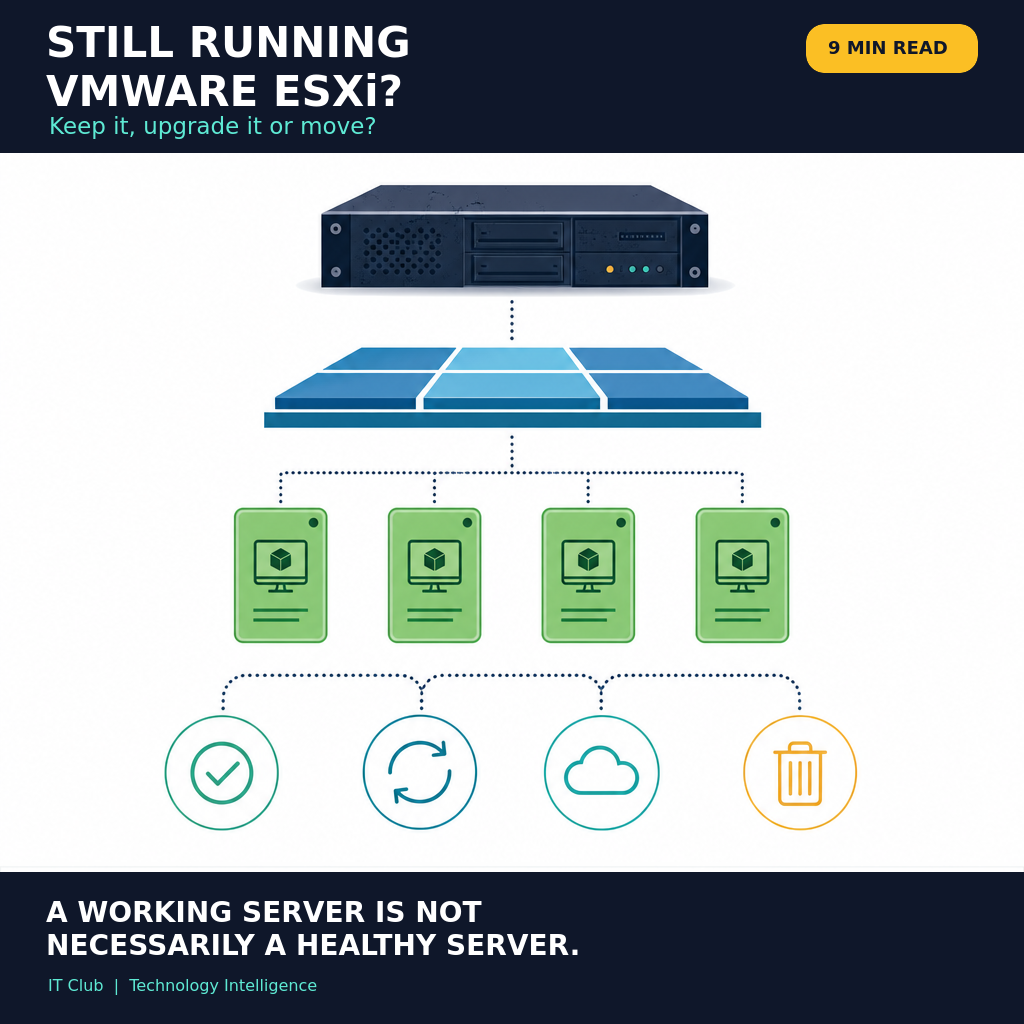
Tap to follow The IT Club Briefing on WhatsApp.
Related Articles
Nobody launched them as weather sensors. Now thousands of satellites can help measure the atmosphere
A network built to connect people is also giving researchers another way to estimate what is happening high above Earth. The useful measurement is not quite the one the nickname suggests.
Read articleAI Doesn't Just Need Data Centres. It Needs the Network to Reach You.
AI may run in a data centre, on a device or at the edge, but business value still depends on the network between the user and the system.
Read articleStill Running Windows Server 2019? It's Time to Plan the Upgrade
Windows Server 2019 remains supported until January 2029 — but businesses should now inventory workloads, check application compatibility and plan upgrades or migrations while there is still plenty of time.
Read articleNeed help putting this into practice?
IT Club helps you understand the technology. If you need implementation, support or consultancy, the teams behind IT Club can help.
Altitude IT (opens in a new tab) — IT support, cyber security, Microsoft 365 and technology operations.
Altitude AI (opens in a new tab) — AI discovery, automation, governance and implementation.